17
4
INFORMATION ON USE AND OPERATION
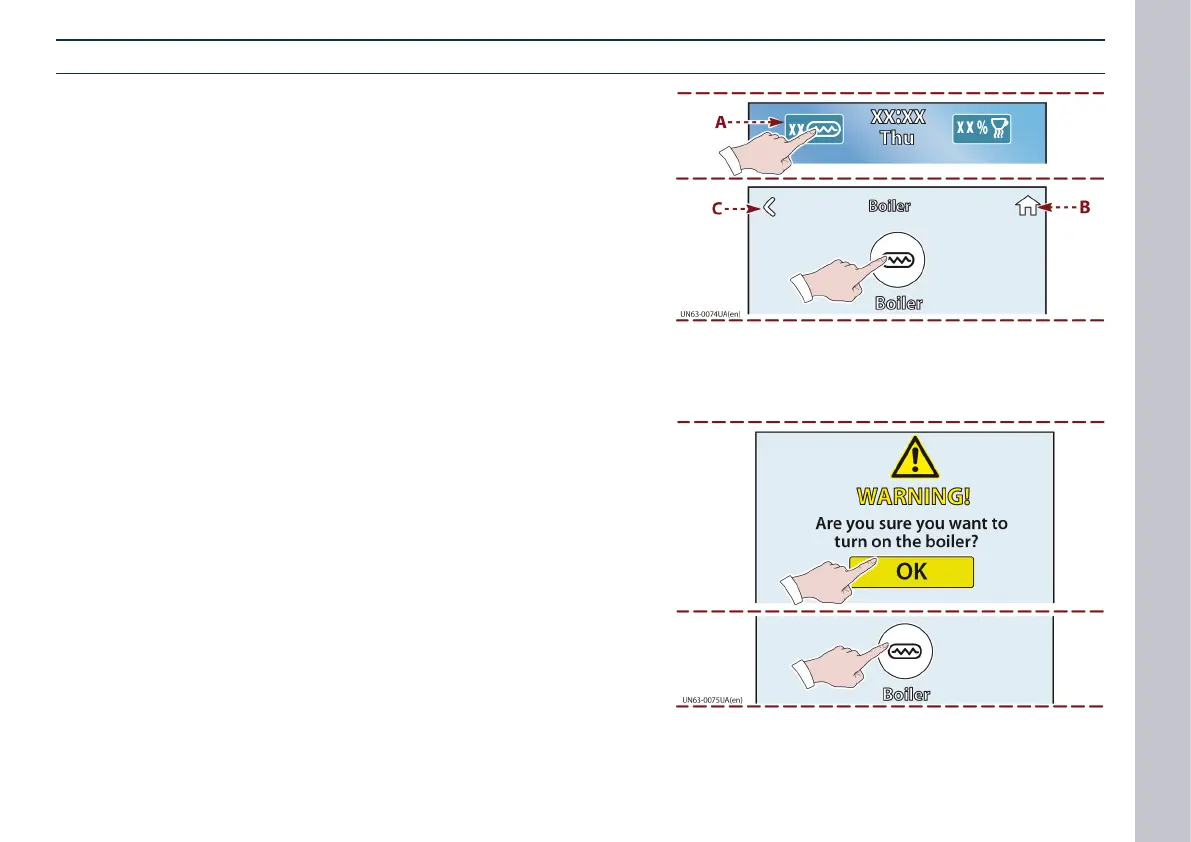
Boiler activation
Carry out the operations described.
1) Touch this key to display the boiler activation page.
2) Touch this key to enable boiler activation.
- Key (A) backlit: means the boiler is activated.
- Touch key (B) to go back to the Home page.
- Touch key (C) to go back to the last page.
3) Touch this key to conrm boiler enabling.
4) Touch this key to turn on the boiler.
- To deactivate the boiler, carry out the same procedure.
- The (A) key turns o.














 To Next Page