30
4
INFORMATION ON USE AND OPERATION
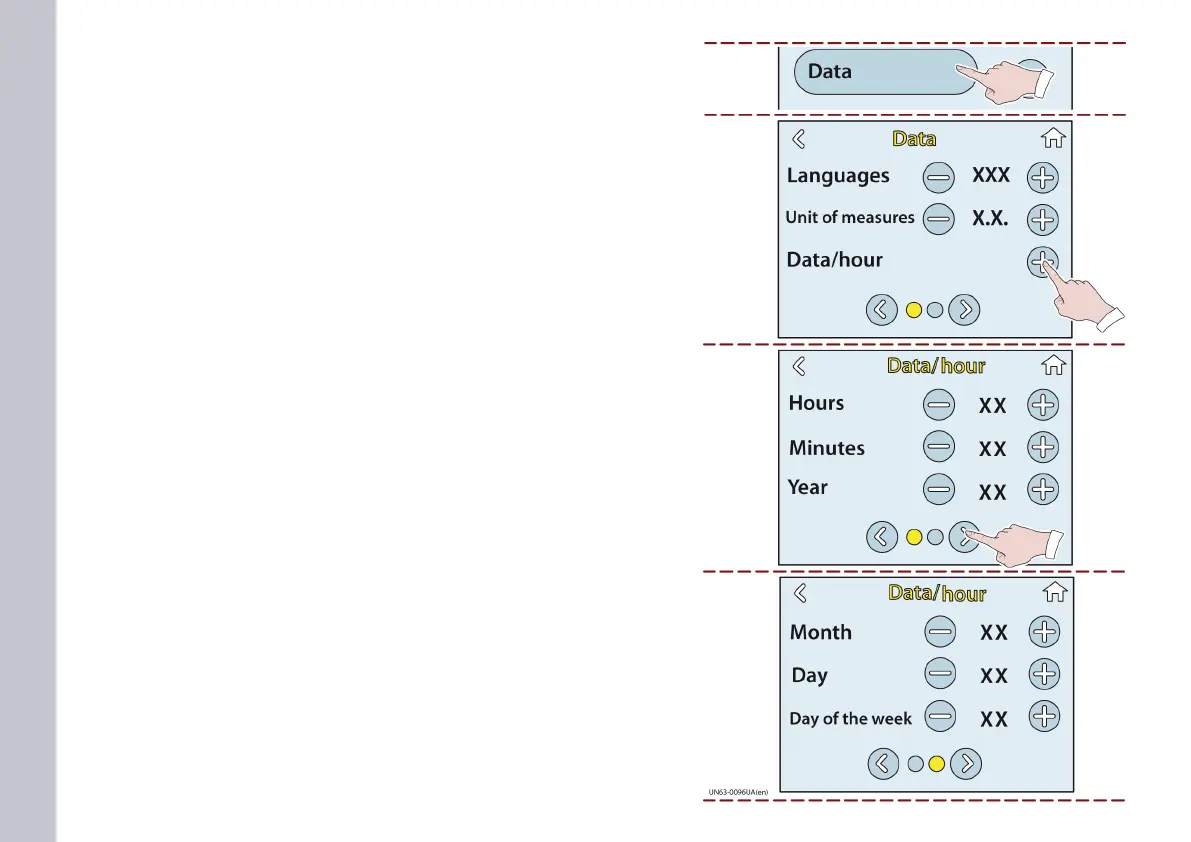
Touch this key to display the DATA page.
This page can be used to select the language and the unit of meas-
urement.
Touch this key to display the DATE and TIME entry page.
This page can be used to set the hours, minutes and year.
Touch this key to view the page of the month, date, and day of the
week.
This page can be used to set the month, date, and day of the week.
DATA page














 To Next Page