47
6
CLEANING AND MAINTENANCE INFORMATION
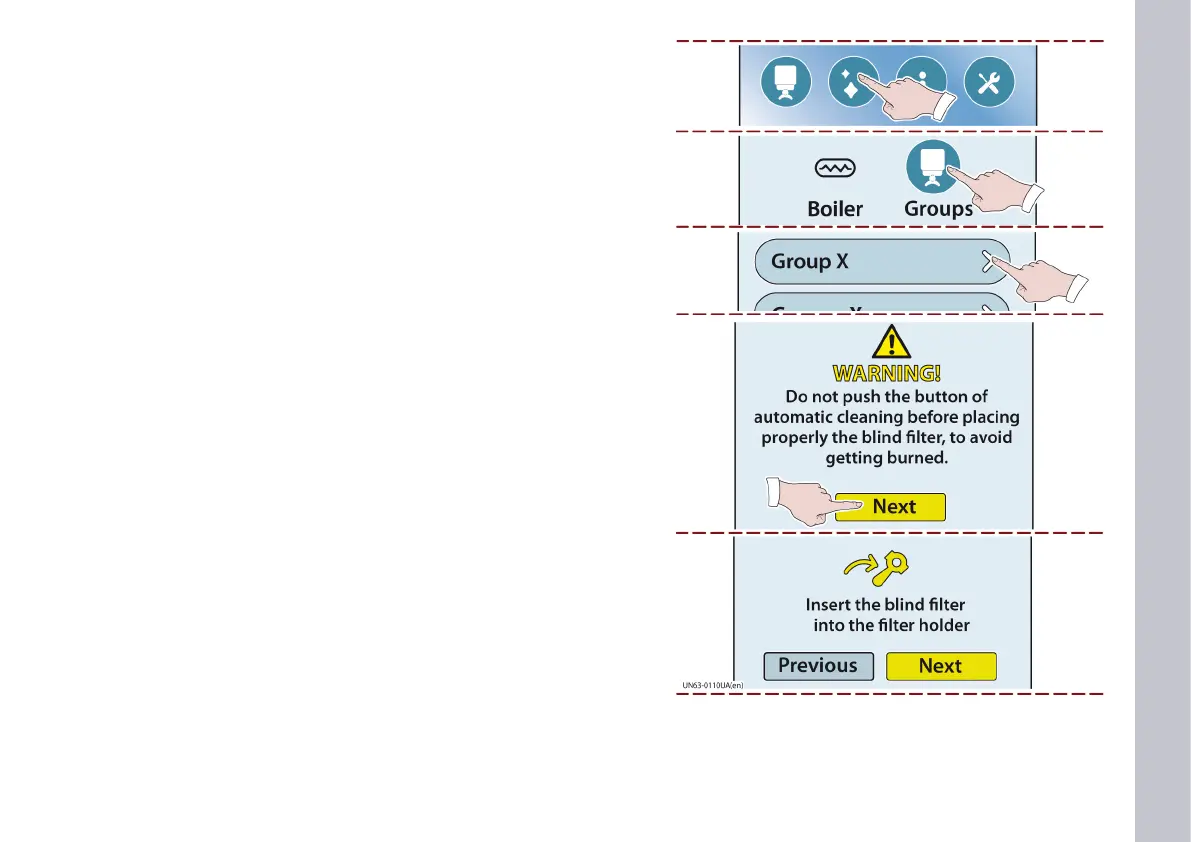
4) Touch this key.
5) Touch this key to enable grouphead cleaning.
6) Touch this key to select which grouphead you wish to clean.
7) The cleaning instructions tutorial page appears.
- Follow the information provided.
8) Touch this key.
The page shown in the illustration appears.
- Follow the information provided.
9) Touch this key.














 To Next Page