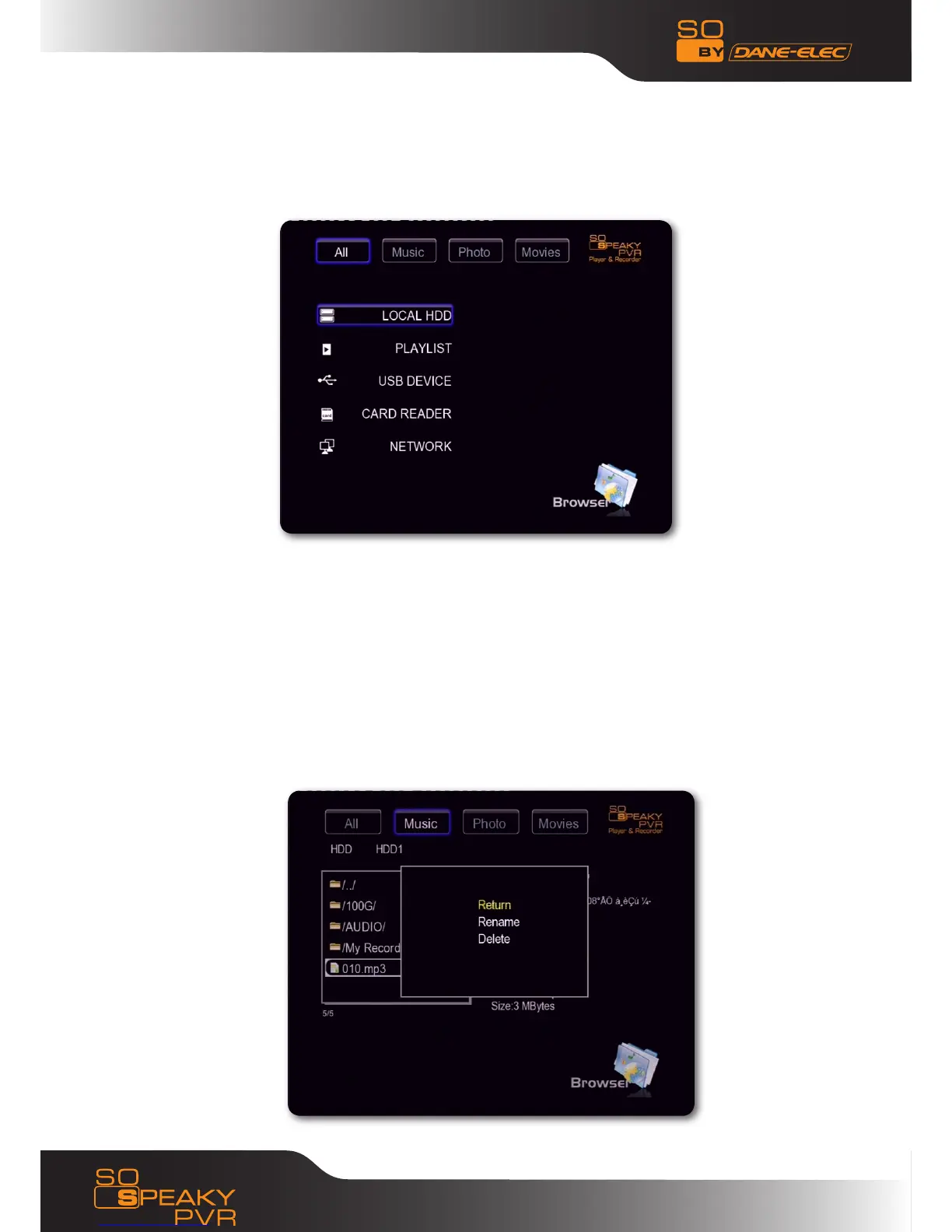
Browser•
Select “Browser” in the guide menu or press “Browser” button on the remote control, then individuals
can browse movie, photo and music files stored in HDD, card, network and USB by pressing the “Up” and
“Down” navigation buttons to choose the source devices and press “OK” button to confirm and play the
files in the selected device.
Select the file or folder by pressing “Up” and “Down” navigation button and press “OK” button to enter
and play the files, press “Return” key you can return to previous list.
File Range function •
To make file browsing and playing easier, there is a function to range all files into different folders named
“All”, “Music”, “Photo” and “Movie”, individuals can switch to any folder by pressing the “left” and “right”
navigation button.
File Edit menu•
Select the file or folder by pressing the navigation buttons and display Edit, individual can rename and
delete files, press “OK” button to confirm.
26
www.danedigital.com


 To Next Page