56 Capacity controller RS8GN202 © Danfoss 11-2013 AK-PC 783
System setup
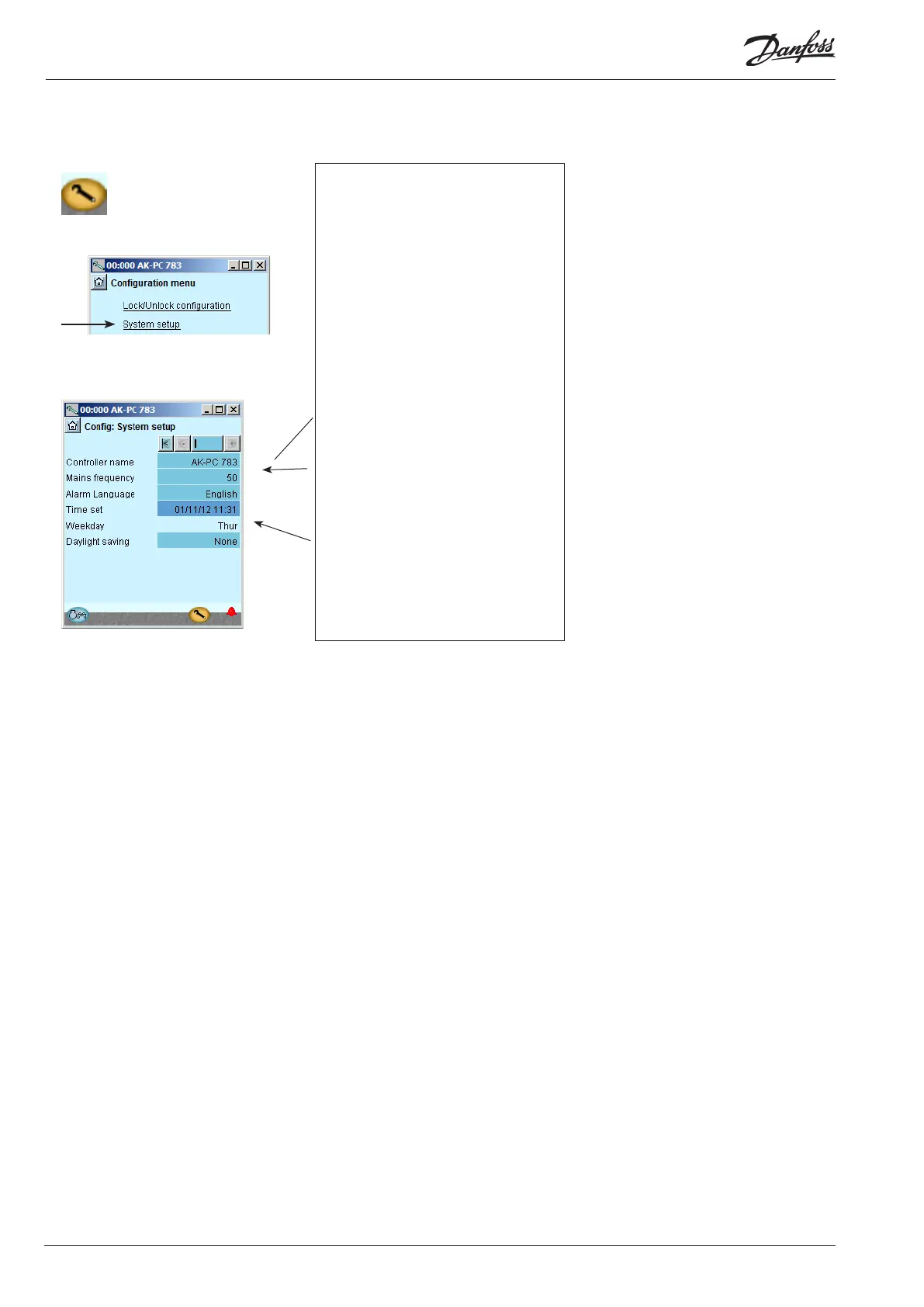
1. Go to Conguration menu
2. Select System setup
3. Set system settings
Conguration - continued
All settings can be changed by pressing in the
blue eld with the setting and then indicat-
ing the value of the required setting.
In the rst eld you enter a name for what
the controller will be controlling. The text
written in this eld can be viewed at the top
of all screens, together with the controller's
address.
When the time is set the PC’s time can be
transferred to the controller.
When the controller is connected to a net-
work, date and time will automatically be set
by the system unit in the network. This also
applies to change-over Daylight saving.





 To Next Page