AK-PC 783 Capacity controller RS8GN202 © Danfoss 11-2013 79
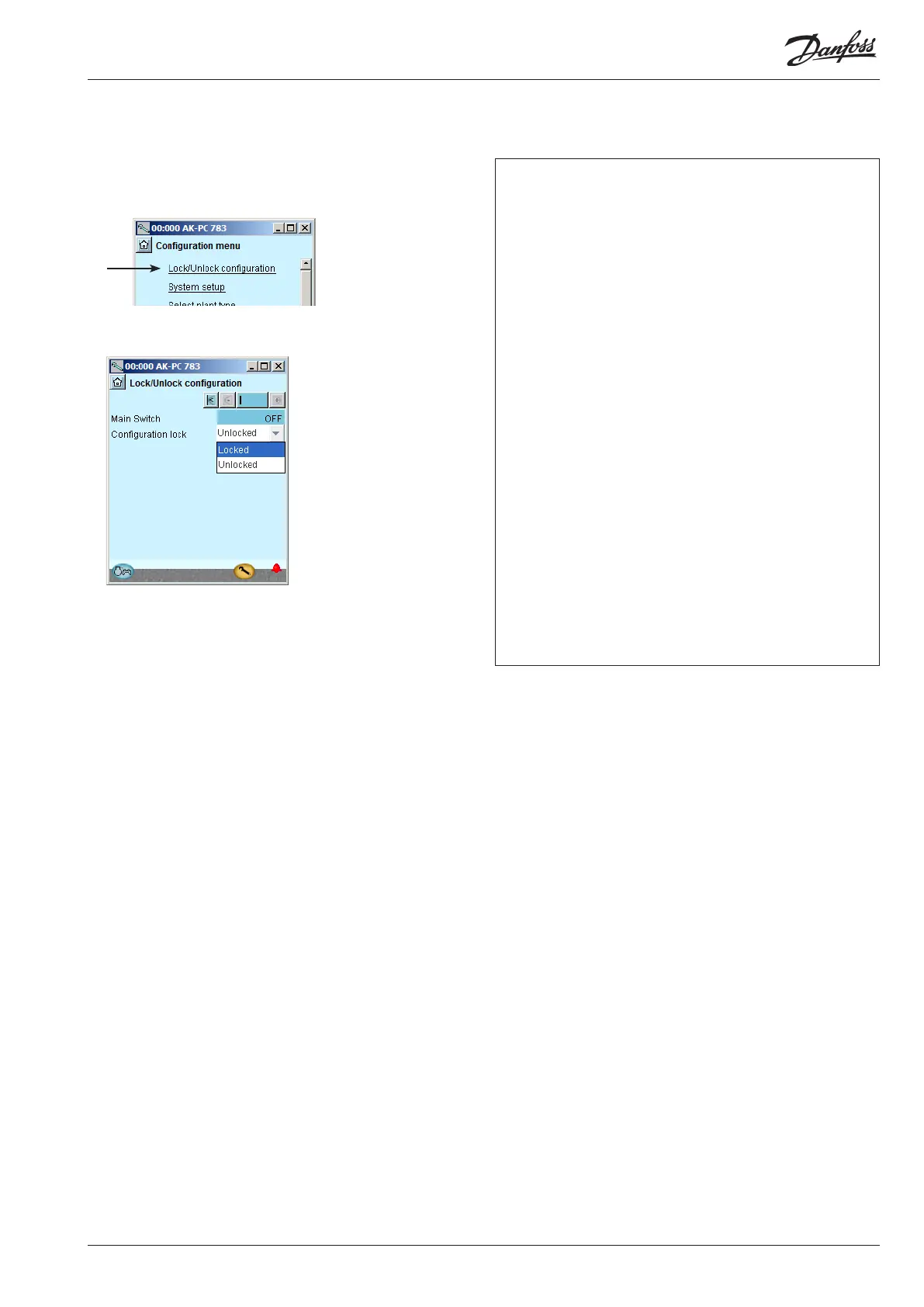
Lock conguration
1. Go to Conguration menu
2. Select Lock/Unlock conguration
3. Lock Conguration
The controller will now make a comparison of selected func-
tions and dene inputs and outputs. The result can be seen in
the next section where the setup is controlled.
Conguration - continued
Press in the eld against Conguration lock.
Select Locked.
The setup of the controller has now been locked. If you subsequently
want to make any changes in the controller’s setup, remember rst to
unlock the conguration.





 To Next Page