6.3.10 Connecting to SW 6000
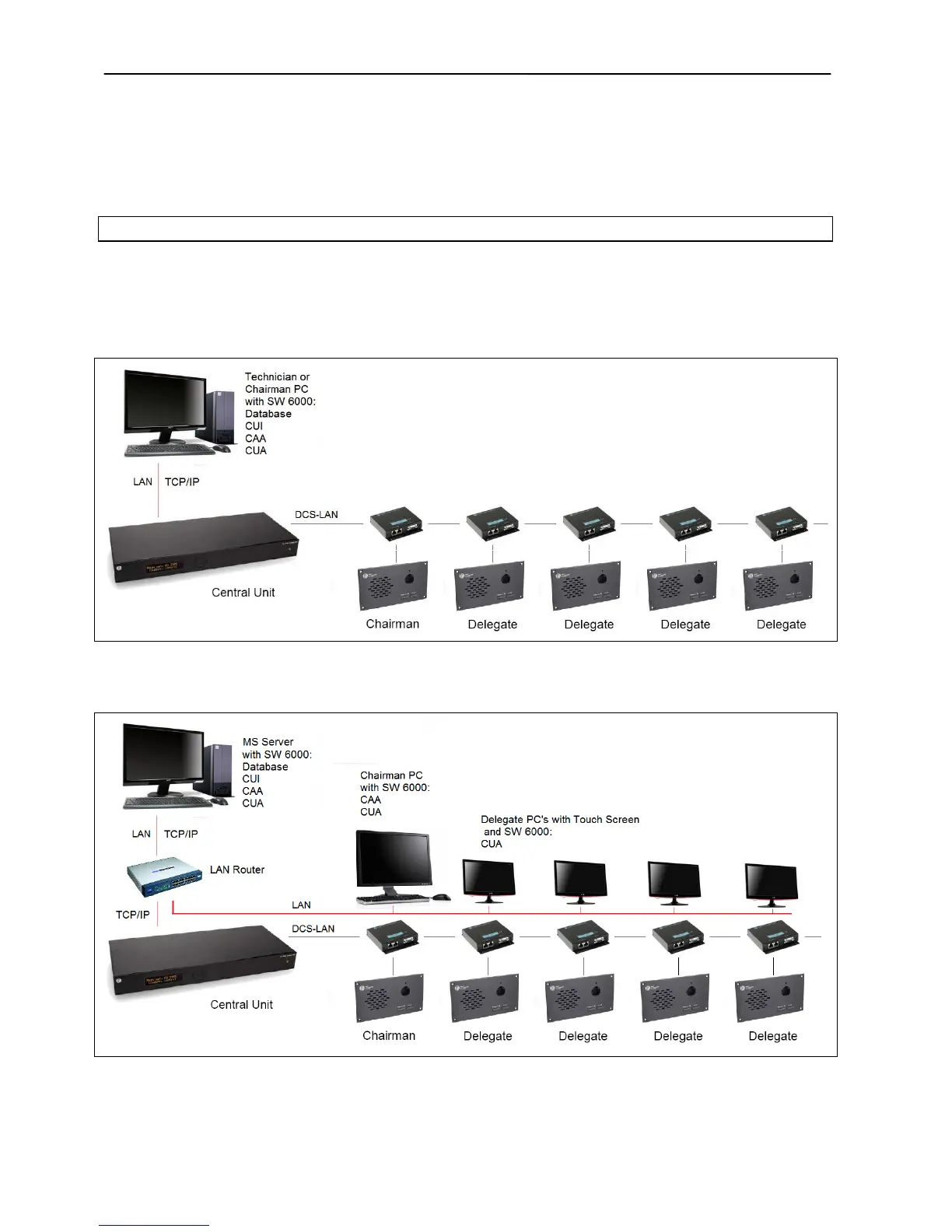
Figure 6.3-L is a basic installation with only one PC.
SW 6000 is installed on a PC and connected to the CU
6105 using TCP-IP. The PC can be used either by a
Chairman or a Technician.
Figure 6.3-M is a more advanced setup, where each
user has a PC with SW 6000 conference user
application (CUA).
Please refer to the SW 6000 User Manuals for more
information.
Figure 6.3-L DCS 6000 Digital Conference System with basic SW 6000 setup



 To Next Page