DIS User Manual
User Manual CU 6105.docx
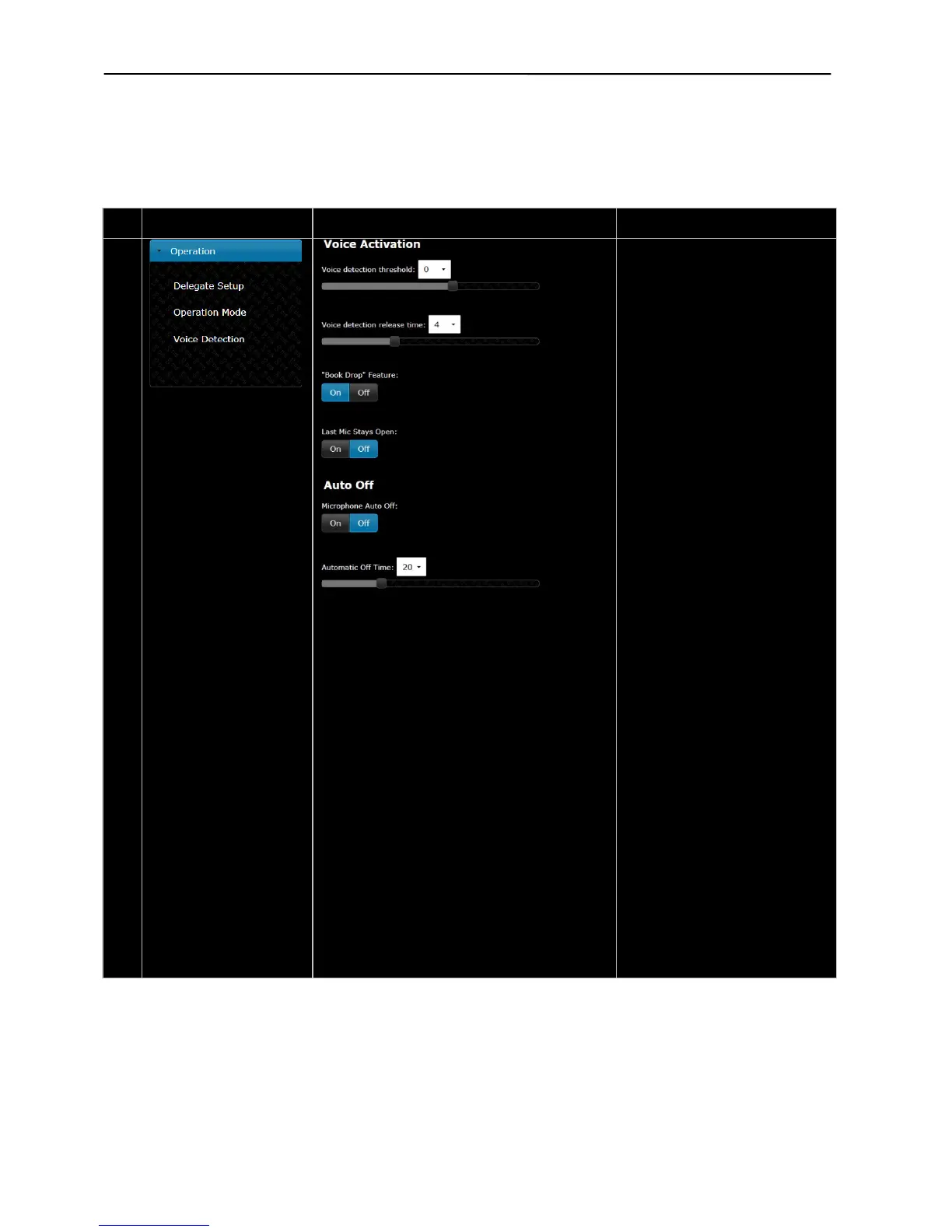
Voice Activation –
Those settings determines the
behavior of the system when
working in VOX mode
The ‘Voice detection threshold’ can
be set to values ranging from ‘-12
to ‘8’ in steps of ‘1’.
The default value is ‘0’. Setting to a
lower value makes the microphone
more sensitive.
The ‘Voi
ce detection release time’
can be set to values from 1 to 10
seconds in 0.5 sec step.
This setting is used for setting the
time from the delegate stops talking
until the microphone turns off. The
default value is 4 sec.
When “Book Drop” Feature is
enabled a short ‘unwanted’ noise
will only make the microphone to
“Last Mic Stays Open” feature is
used when the DCS 6000 system is
used for video or audio conferences
where equipment with echo-
canceling feature is in use.
Auto Off –
When ‘Microphone Auto Off’ is set
automatic turn off the microphone
when the delegate stops talking.
The time is determined by the ‘Auto
Off time’ setting.
The ‘Automatic Off Time’ sets the
time fro
m the delegate stops
speaking until the microphone
turns off. The value can be set from
5 to 60 seconds in 5 second steps.
The default value is 5 sec.
When the system is set to VOX
mode Auto Off settings are disabled.



 To Next Page