4. CONTROLS
32
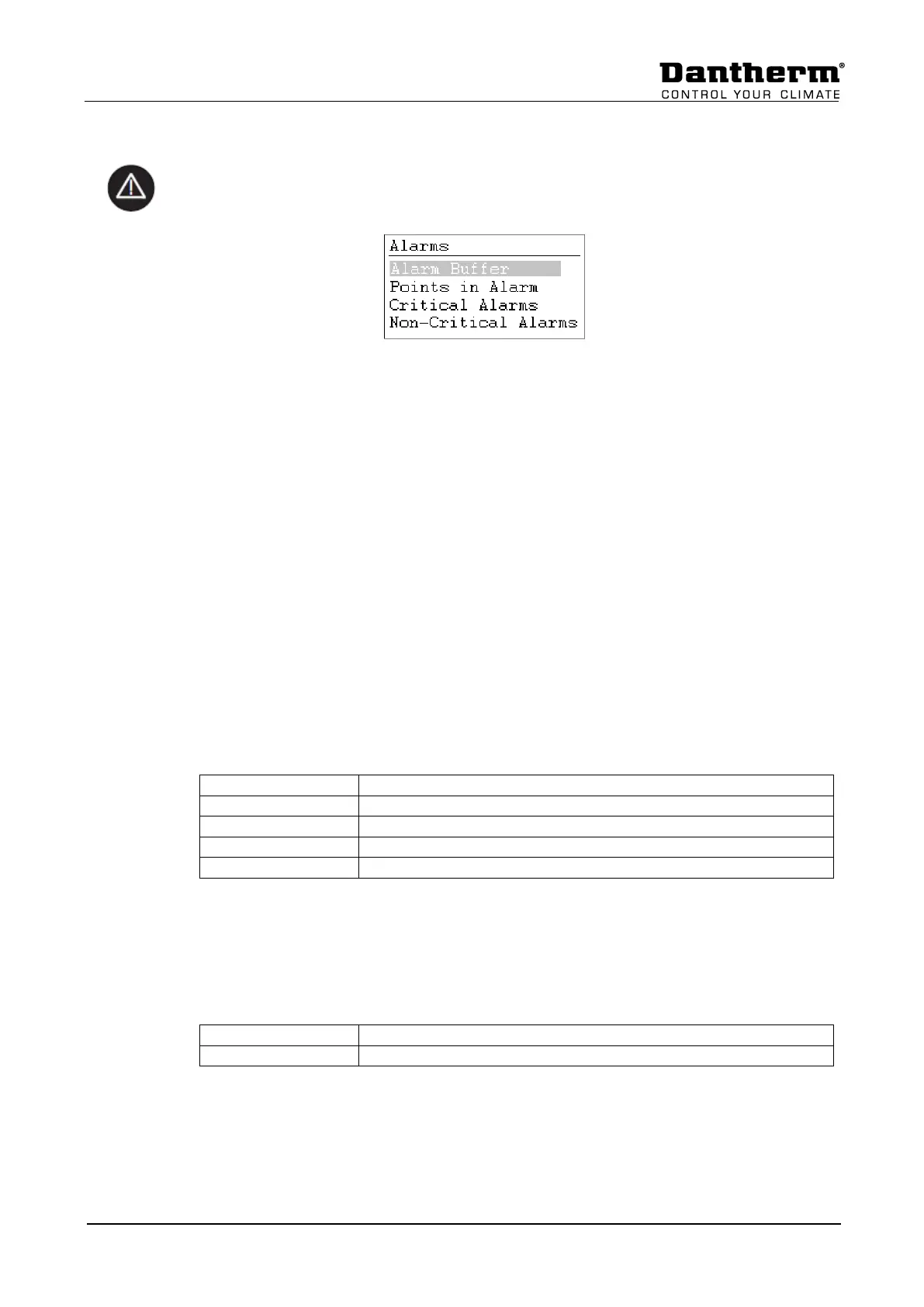
4.5.1 Alarm menu
Activating the alarm menu (no password needed) gives access to historical and current
alarms.
4.5.2 Alarm buffer
In the alarm buffer, you can find the last 99 alarms with the last one on top. By pressing the
black button on the alarm, a new display opens and you can see at which day and at what
time the alarm has appeared.
4.5.3 Points in alarm
Here all current critical and non-critical alarms can be read. The first one will be identical
with the alarm in the normal display, but there can be more alarms at the same time, which
can then only be read in this point.
4.5.4 Critical alarm
Here all current critical alarms can be read. A critical alarm will either stop the total unit (heat
pump and fans) or just the heat pump. The unit can first be started up again when the alarm
has been acknowledged. Critical alarms are:
4.5.5 Non critical alarm
Here all current non critical alarms can be read. A non-critical alarm will not stop the unit, but
it is a reminder to check the part (filter) which is in alarm. Non critical alarms are:


 To Next Page