4. CONTROLS
18
4.3.2 Start display
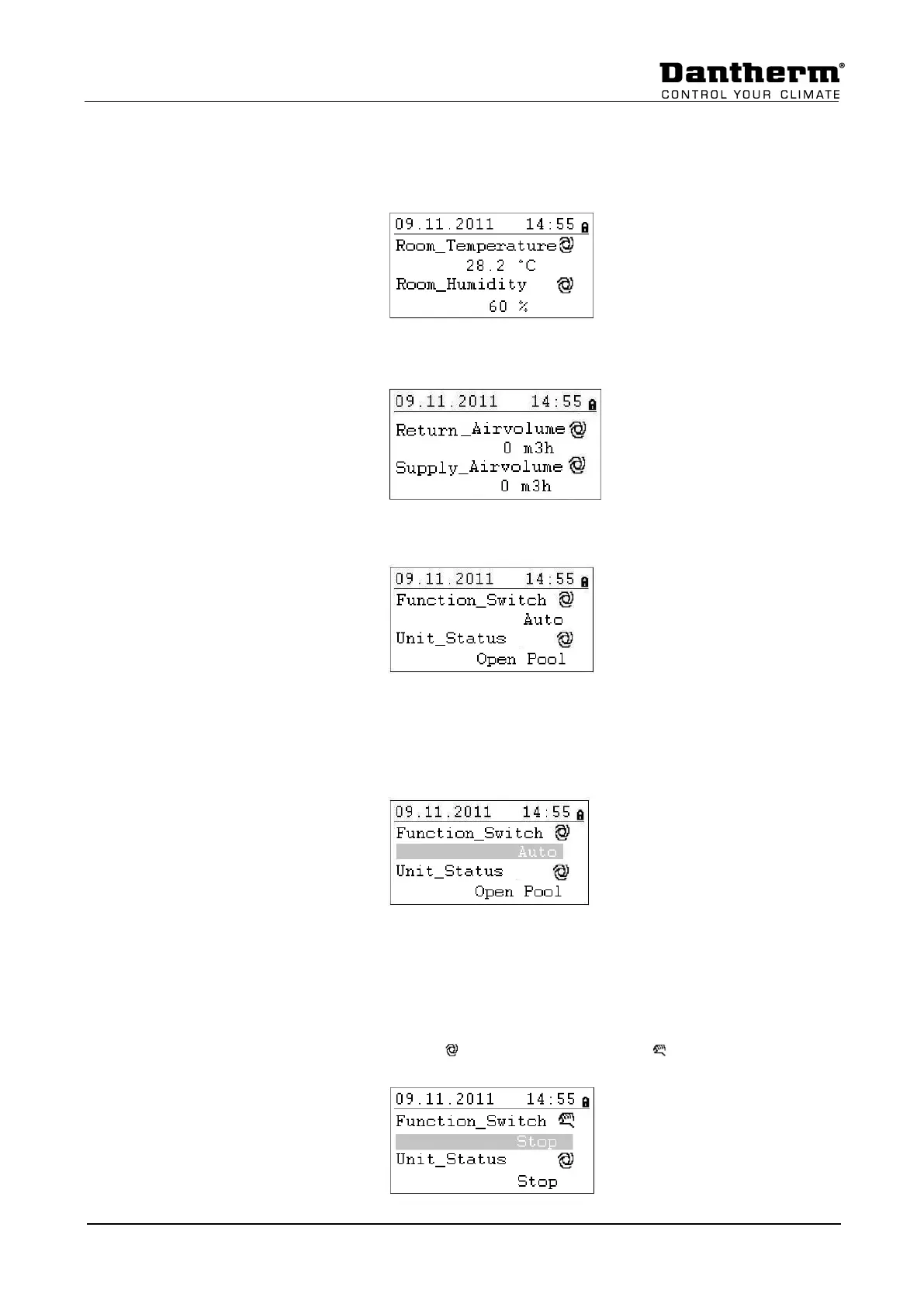
The start display will show the actual pool hall conditions.
Rotate the Rotate button a few times; the start display will change to the air volumes:
Rotate the Rotate button a few times; the start display will change to the following screen:
Function_Switch. This function is normally set to AUTO, which means the unit is running
with the set points of the Time Program. For service reasons you can change this point to
STOP. You can do this without a password; you just have to highlight the AUTO setting by
rotating the Rotate button.
Then press the Rotate button and AUTO will start to flash. Now you can rotate the Rotate
button and you change the setting, to for example STOP. When you see STOP, press the
Rotate button again and the controls will now accept the command.
The display will now look like the following. Please note that at the same time you have
stopped the unit over the Function_Switch point, the Unit_Status will change from Open Pool
to Stop and the sign for Auto mode will switch to Manual mode .


 To Next Page