66
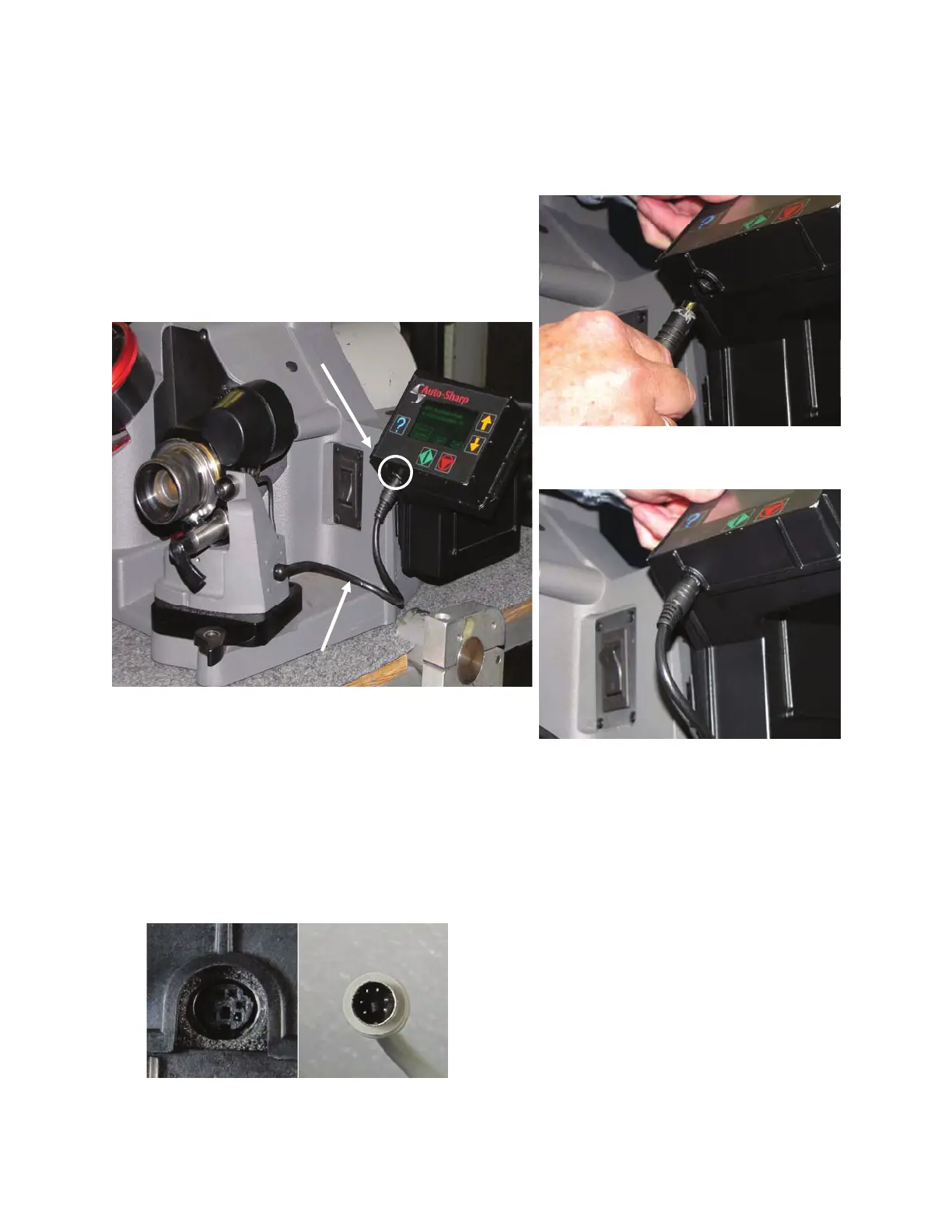
Connecting Sharpening Fixture to
Controller/Display:
1. Connect the mini DIN power cable coming fro
the Sharpening Fixture to the mini DIN receptacle lo-
cated slightly underneath the bottom of the Control-
ler/Display.
Important: Be sure you have the DIN pins
and receptacle aligned correctly before en-
gaging. Improper connection can result in
a blown optical switch in the sharpening
fixture which will make the unit nonfunc-
tional.
Automated Sharpening Attachment


 To Next Page