67
Connecting AC Power to Auto
Controller/Display:
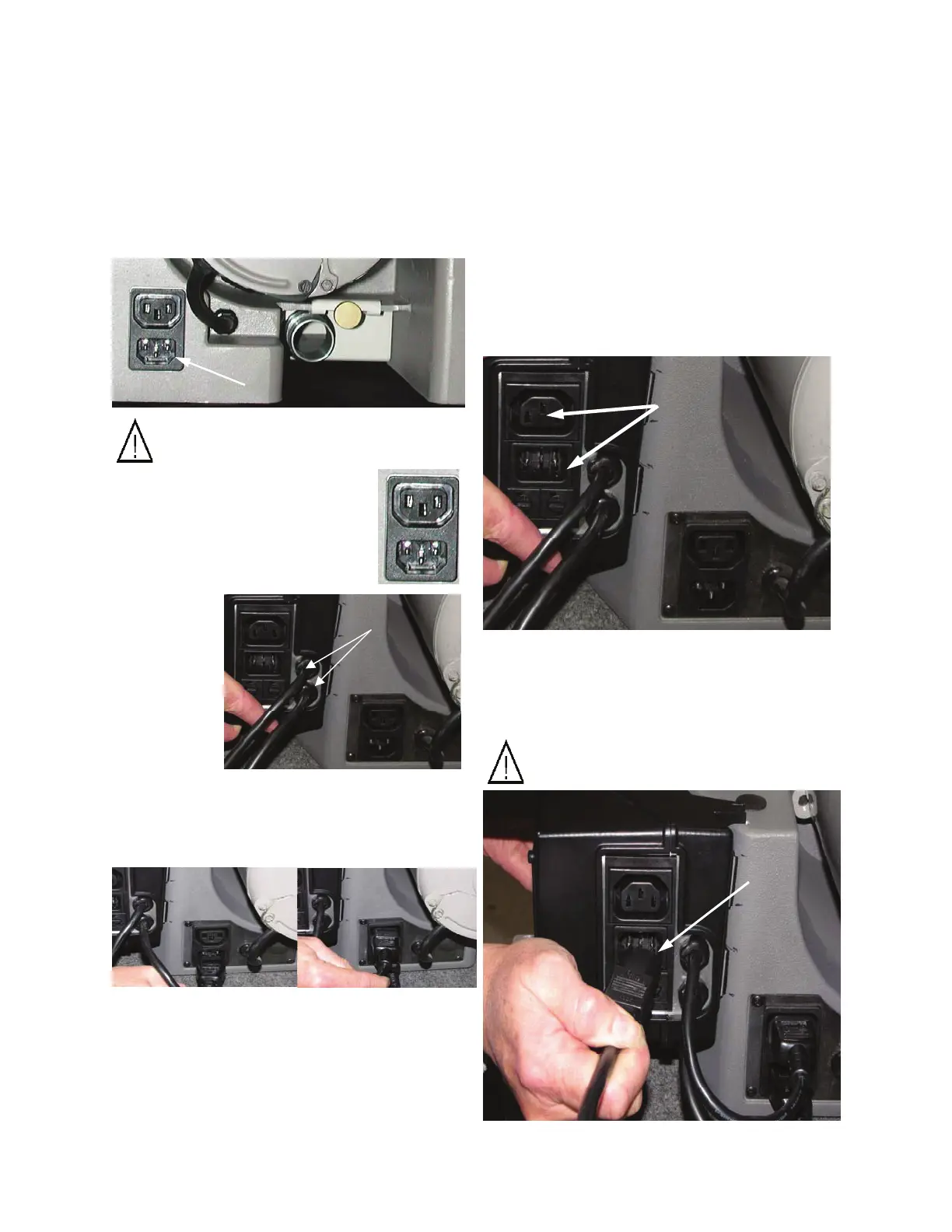
1. Located on the back of the Controller/
Display is the primary power receptacle.
Within this receptacle you will find a power
inlet and accessory receptacle.
2. Provided with the XT-3000 is a power cord.
Plug the cord into to a power outlet and into
the power inlet located on the back of the
Controller/Display.
Caution: Only one supply source can
be connected to this equipment!
Connecting Auto Controller/
Display to XT-3000:
1. Located on the back of the XT-3000 base
casting is the secondary power receptacle.
Caution: Do not connect a separate
power source to this Inlet!
2. The secondary accessory re-
ceptacle is located on the top and
the secondary power inlet is lo-
cated on the bottom of the recep-
tacle.
3. Connect
both pigtail
jumpers
coming from
the Control-
ler/Display to
the appropri-
ate positions
in the secon-
dary receptacle located at the back of the XT-
3000.
Automated Sharpening Attachment


 To Next Page