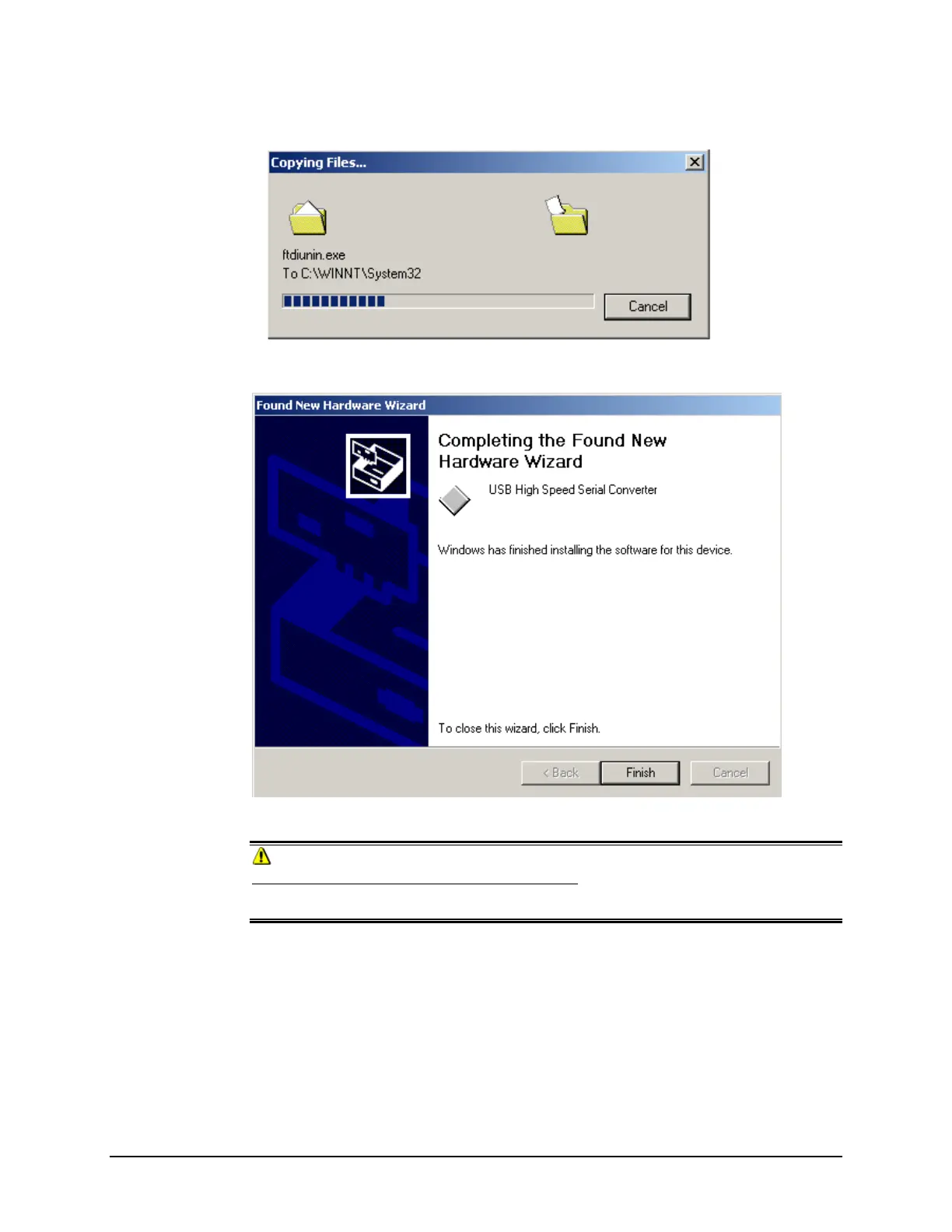
6. Click Next. The Wizard will begin copying the files to the computer.
When the copy is complete, the window below displays:
7. Click Finish.
CAUTION
Do not remove the USB Driver CD from the drive. The Wizard will close and then
immediately reopen. You will have to repeat the procedure a second time to successfully copy
the file.
8. When you once again see the “Welcome” screen, click the Next button.
9. Repeat the steps above a second time.
10. When you reach the final wizard screen, click Finish. At this time, the Wizard closes and
the installation is complete.
10 • USB Driver Installation Datacolor 110 User's Guide



 To Next Page