DATAKOM DKG-705 User’s Manual
705_USER.doc - 10 -
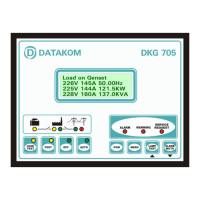
3.2 Digital Display
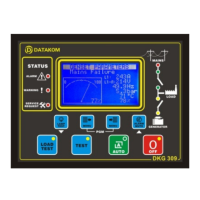
The digital display is of LCD type, with 4 lines by 20 characters.
It shows:
-The software version and release date,
-The genset status,
-Measured parameters,
-Alarm information,
-Date and time,
-Service counters,
-Statistical counters,
-Logged events,
-Program parameters.
During power on, the display shows the software version and the release date for 1 seconds.
The display has basically two modes:
-Normal operation,
-Programming mode.
The programming mode will be explained later in this document.
The display is driven by a menu system. The display has many different screens, divided into 3
main groups.
The navigation between different screens in a group is made with the MENU button. Holding the
MENU button pressed for 1 second makes the display to switch to the next group.
During operation, the DKG-705 will switch automatically between different screens, displaying
each time the most important screen for the given situation.
If an alarm or warning occurs during operation other then programming mode, the display will
automatically switch to ALARM LIST position. The MENU button will not allow to switch to other modes.
To enable display navigation, press ALARM MUTE button.
The display has a backlight illumination feature. The backlight turns on with the depression of
any button. It turns off after 1 minute to allow power economy. Also note that the backlight will turn off
during engine cranking.
Group
Description Contents
1 1
Mains parameters Genset status
Voltage R (or RS), current R, Mains Frequency
Voltage S (or ST), current S
Voltage T (or TR), current T
1 2
Mains parameters Genset status
Voltage RS (or R), current R, Mains Frequency
Voltage ST (or S), current S
Voltage TR (or T), current T
1 3
Basic genset parameters
Genset status
Voltage U (or UV), current U, Genset Frequency
Voltage V (or VW), current V, Genset Active Power (KW)
Voltage W (or WU), current W, Genset Power Factor (cosΦ)
1 4
Basic genset parameters
Genset status
Voltage UV (or U), current U, Genset Frequency
Voltage VW (or V), current V, Genset Active Power (KW)
Voltage WU (or W), current W, Genset Power Factor (cosΦ)


 To Next Page