EasyManua.ls Logo

DataLocker DL3 - Getting Started; First time setup

DataLocker DL3
36 pages
Print Icon
To Next Page IconTo Next Page
To Previous Page IconTo Previous Page
Loading...
6"
!
!
!
Getting Started
FIRST TIME SETUP
This section will guide you through the necessary steps to set up the DL3drive
for the first time around. It is highly recommended that you set a new
administrator password using alphanumeric characters.
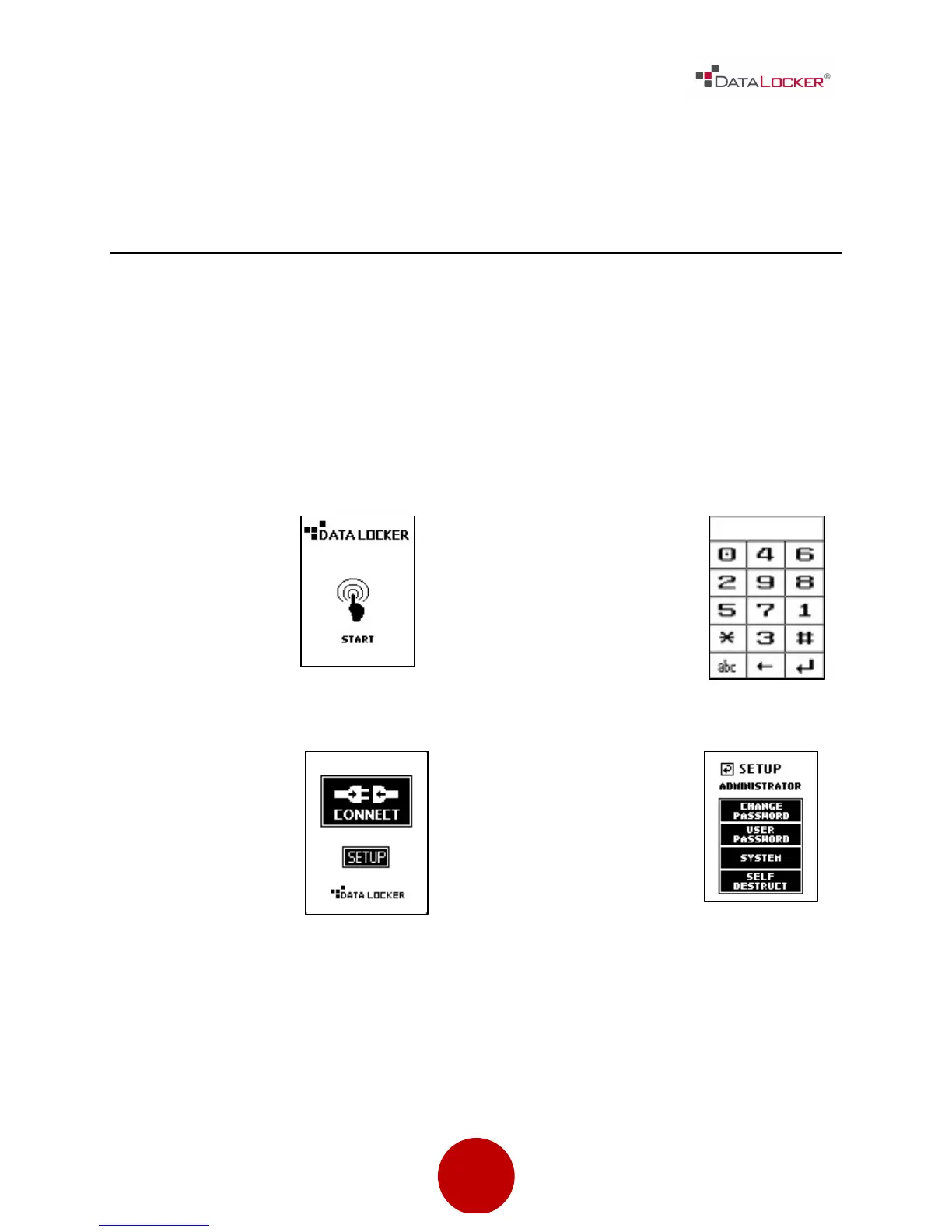
Step 1: Connect the DL3™ to your computer with the included USB cable.
Step 3: Enter the
default password
000000.
Then press the []
symbol.
Step 4: Press the
[SETUP] button on
the touch screen.
If it is not selected
within 3 seconds,
the DataLocker
DL3™ will connect
to the computer
automatically.
Step 5: At the setup
menu press the
[CHANGE PASSWORD]
button.

Other manuals for DataLocker DL3

Related product manuals