!
!
!
USER PASSWORD
The DL3™ supports the creation of a user password. The user will have access to
all data on the drive; however, the user will not be able to access certain
administrative options and controls.
Note: You must change the default administrator password before creating a
user password.
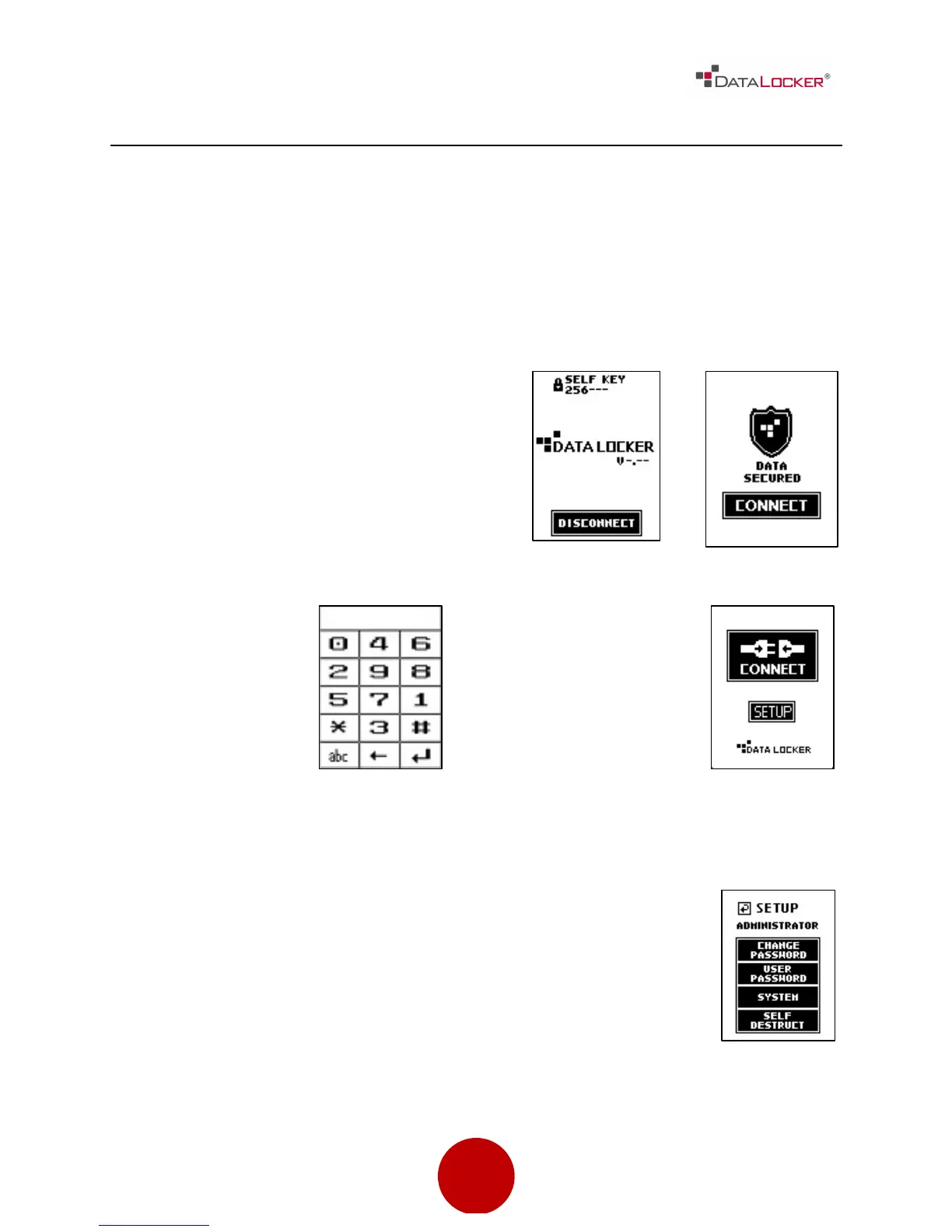
Step 1: Power on your DL3™ by
plugging it in to your computer. If the
drive is already connected, press the
[DISCONNECT] button and then press
the [CONNECT] button on the next
screen.
Step 2: Once at the
keypad screen,
enter the admin
password. If the
password has not
been changed,
enter the default
Step 3: Press the
[SETUP] button on the
touch screen. If the
[SETUP] button is not
selected within 3
seconds, the
DataLocker DL3™ will
Password, 000000, and press the [↵]
symbol.
automatically connect to the host
computer.
Step 4: At the setup menu press the [USER PASSWORD] button.



 To Next Page