EasyManua.ls Logo

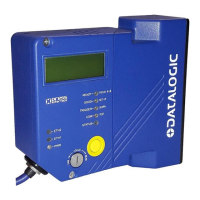
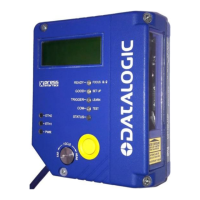
Datalogic DS8100A-3002 - User Manual

Datalogic DS8100A-3002
12 pages
Print Icon
To Next Page IconTo Next Page
Loading...
DS8100A-3002
QUICK REFERENCE GUIDE
NOTE
This manual illustrates a typical Local Lonworks network application. For more details refer
to the DS8100A Reference Manual available on the CD. For complete scanner configuration
using the Genius™ configuration program refer to the Help On Line.
821001264 (Rev. D)

Questions and Answers

  • M
    Megan GonzalezAug 15, 2025
    What to do if Datalogic Barcode Reader cannot read target barcode?
    • C
      Christopher WhiteAug 15, 2025
      If your Datalogic Barcode Reader is consistently unable to read barcodes and returns 'No Read', ensure the scan line is correctly positioned and the barcode is centered. Use the Test mode in Genius™ to check the alignment. Also, verify that the reading distance is within the specified range, the tilt angle is appropriate, and the skew angle is less than 15° for direct reflection. Enable various Code Symbologies (excluding Pharmacode) with variable Min and Max lengths in the Code Definition settings. Finally, check the barcode quality. If issues persist, test with the BARCODE TEST CHART included with the product.
  • N
    Nicholas SchultzAug 18, 2025
    What to do if Datalogic DS8100A-3002 Barcode Reader trigger LED is on but no reading?
    • A
      Angela LindseyAug 18, 2025
      If the TRIGGER LED on your Datalogic Barcode Reader is lit in On line Mode, but no reading results occur, ensure that the software configuration is consistent with the application condition and operating mode. Use the Genius™ program, select the Operating Mode branch, and check the related parameters.
  • A
    adamsmichaelAug 22, 2025
    Why is Datalogic Barcode Reader transmitting incorrect data?
    • R
      Rebekah HarringtonAug 22, 2025
      If data transferred from your Datalogic Barcode Reader to the host is incorrect, corrupted, or incomplete, use the Genius™ program to check the Header, Separators, and Terminator values in the Data Communication Settings/Data Format/Standard Parameters branch. Also, verify the Code Field Length and Fill Character values. Ensure that the COM port parameters are correctly assigned.
  • D
    Daniel GreenAug 26, 2025
    How to troubleshoot Datalogic DS8100A-3002 Barcode Reader when power LED is off?
    • C
      Corey HuntAug 26, 2025
      If the “Power On”/”Ready” LED on your Datalogic Barcode Reader is not lit, check the power connection. If using a power adapter (like PG 6000), ensure it is connected to a wall outlet. If using rail power, verify the rail has power. If using CBX100, check that it has power by checking the switch and LED. Measure the voltage at pin 13 and pin 25 (for a 25-pin connector) or at the spring clamp Vdc and GND (for CBX).
  • A
    Anne MelendezAug 28, 2025
    Why is my Datalogic DS8100A-3002 Barcode Reader not transmitting to the host?
    • D
      Dwayne LyonsAug 28, 2025
      If your Datalogic Barcode Reader is not transmitting data to the host, ensure the serial cable is connected and the wiring is correct. Verify that the serial host settings match the serial device settings. If using CBX, make sure the RS485 termination switch is set to OFF.
  • H
    Heather BeardAug 31, 2025
    Why Datalogic Barcode Reader is not triggered in Serial On line Mode?
    • S
      Spencer GreeneSep 1, 2025
      If the Datalogic Barcode Reader is not triggered in Serial On line Mode and no reading results occur, use the Genius™ program to check if Serial On Line is selected in the On Line Options within the Operating Mode branch. Verify that the Start – Stop characters are correctly assigned and that the serial trigger source is correctly connected and configured.
  • A
    Ashley WalkerSep 4, 2025
    How to fix Datalogic Barcode Reader trigger LED not lit in On line Mode?
    • G
      Gabriel ArmstrongSep 4, 2025
      If the TRIGGER LED is not lit on your Datalogic Barcode Reader in On line Mode when the external trigger is activated, check if the sensor is connected to the I1A, I1B spring clamps (for CBX) or to pins 18 and 19 (for the 25-pin connector). Verify that power is supplied to the photo sensor and that the photo sensor LEDs (if any) are working correctly. Ensure the sensor/reflector system is aligned.
  • D
    Daniel MillerSep 7, 2025
    What to do if Datalogic DS8100A-3002 Barcode Reader doesn't respond to external signals?
    • L
      longreneeSep 7, 2025
      If your Datalogic Barcode Reader does not respond correctly to expected external signals in On line Mode and Serial On Line, use the Genius™ program and select the Operating Mode branch to check the Reading Phase Timeout parameterization.
  • J
    Jordan RobinsonSep 12, 2025
    Why Datalogic DS8100A-3002 always returns Reader Failure Character?
    • A
      Alexander HensonSep 12, 2025
      Contact your local Datalogic office or Datalogic Partner or ARC, because either a Motor or Laser failure has occurred. Note the exact model and Serial Number of the device.

Datalogic DS8100A-3002 Specifications

General IconGeneral
BrandDatalogic
ModelDS8100A-3002
CategoryBarcode Reader
LanguageEnglish

Related product manuals