TECHNICAL FEATURES
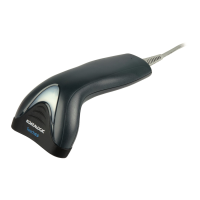
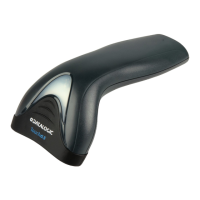
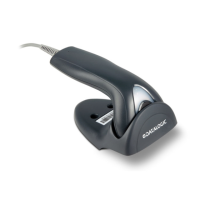
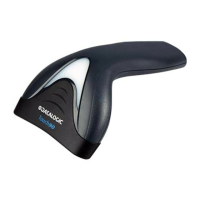
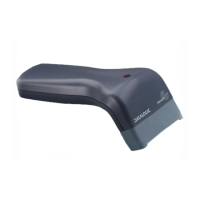
Touch™ 65/90
Electrical Features
Power Supply
RS232 interface
5 Vdc ± 5%
Consumption:
Maximum
Operating
Sleep mode &
USB Suspend Mode
150 mA @ 5 Vdc
100 mA @ 5 Vdc
< 500 µA @ 5 Vdc
Max. Scan Rate 256 scans/sec
Reading Indicators LED, Beeper
Optical Features
Touch™ 65 Touch™ 90
Sensor CCD solid state (2048 pixels)
Reading Field 63 mm typical 80 mm typical
Max. Resolution 0.10 mm
(4 mils)
0.13 mm
(5 mils)
PCS min. 15% (Datalogic Test Chart)
Environmental Features
Working Temperature
0 °C to + 55 °C
Storage Temperature
-20 °C to + 70 °C
Humidity 90% non condensing
Drop Resistance 1.2 m
ESD Protection 16 KV
Protection Class IP30
Mechanical Features
Weight (without cable) about 160 g.
(5.6 oz.)
about 195 g.
(6.8 oz.)
Cable Length 2 m (6 ft.)
USB INTERFACE SELECTION
USB-KBD
i6"k
i6"k
i6"k
USB-COM*
i6"k
i6"k
i6"k
USB-IBM-Table Top
i6"k
i6"k
i6"k
USB-IBM-Hand Held
i6"k
i6"k
i6"k
USB-KBD-ALT-MODE
i6"!k
i6"!k
i6"!k
USB-KBD-APPLE
i6"'k
i6"'k
i6"'k
*
When configuring USB-COM, the relevant files and drivers
must be installed from the USB Device Installation software
which can be downloaded from the web page (see
http://www.datalogic.com/services/support
/).






 To Next Page