ISO MAX V Manual – v. 1.2 – july 2012 26
10.1.15 Downloads the memory’s data
• Command syntax: “.rF” [CR]
• Command answer: [CR][LF] ”981098100607135 050208 152659” [CR][LF]
[CR][LF] ”981098100607135 050208 152701” [CR][LF]
[CR][LF] ”981098100607135 060208 113126” [CR][LF] …
• Command action: downloads the memory’s data
• Parameter range: none.
Description: this command downloads the memory’s data. If no data is stored in the memory,
then the answer is: [LF] [BEL].
10.1.16 Output data format
• Command syntax: “.DM#” [CR]
• Command answer: none
• Command action: changes the output data format on the communication link.
• Parameter range: #= 0 or 1.
Description: this command changes the output data format on the communication link.
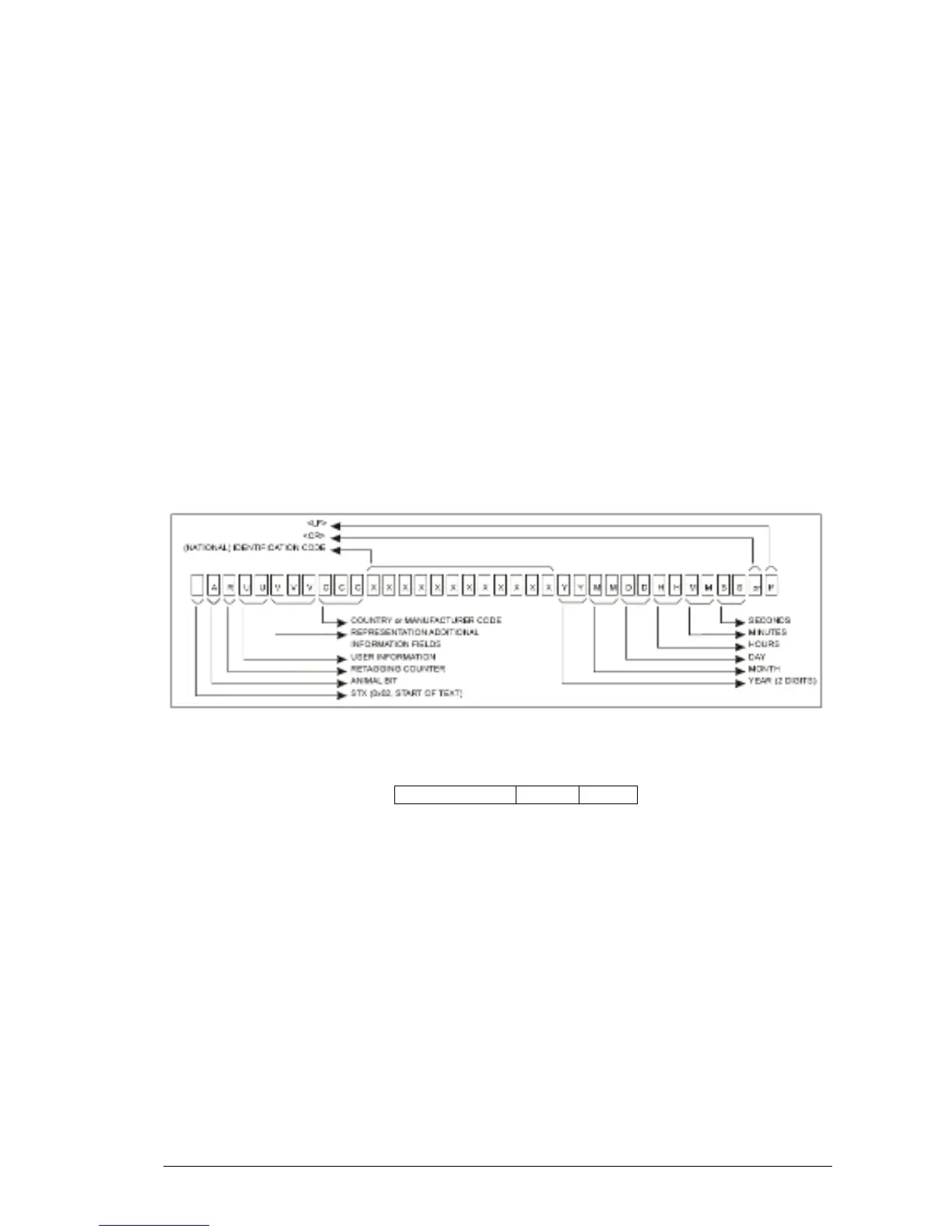
DM1= ISO24631-6 format: [STX]1000071981020001790016080829140603[CR][LF]
DM0= Datamars format: [CR][LF] ” 981020001790016 290808 140603” [CR][LF]
10.1.17 Clears the message area
• Command syntax: “.m0” [CR]
• Command answer: [LF]
• Command action: clears the message area
• Parameter range: none.
Description: this command clears the message area of the display.
10.1.18 Write a message to the display
• Command syntax: “.m#” [**max 15 char**][CR]
• Command answer: [LF]
• Command action: writes a message to the display at the row #
• Parameter range: #= 1 to 3.
Description: this command writes a message to the display at the row #. The message string
has to be max 15 characters. The message can be written on the row 1, 2 or 3 of the display.



 To Next Page