12 / 24
Facelook X1 User’s Manual
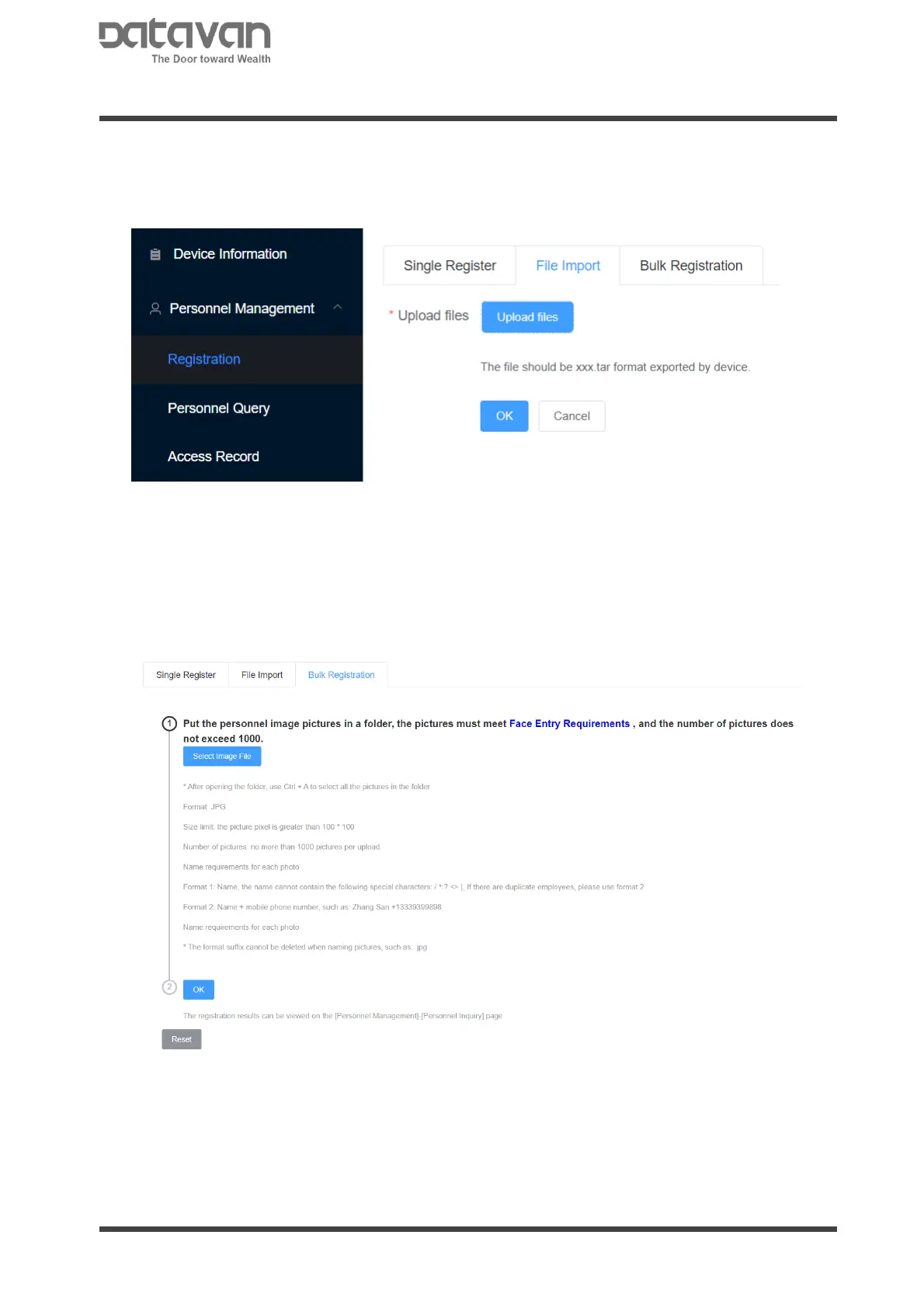
2. File Import
In order to duplicate personnel database from another device, import the personnel
database file that exported from the main device. Click [Upload File] to select the
database file. Click [OK] to upload. The file to be imported should be original file
exported from device.
3. Bulk Registration
The personnel registration can be implemented by batch pictures with jpg format.
Give the picture file name as “Name”+”Phone Number” and keep the extension file
name. For example,
“Alexander+0988123123.jpg”
Click[Select Image File] to select all picture files. All the pictures will be registered
with name and phone number by click [OK].
Click [Face Entry Requirements] for picture requirement samples.
Click [Reset] to clear the selected pictures.



 To Next Page