31
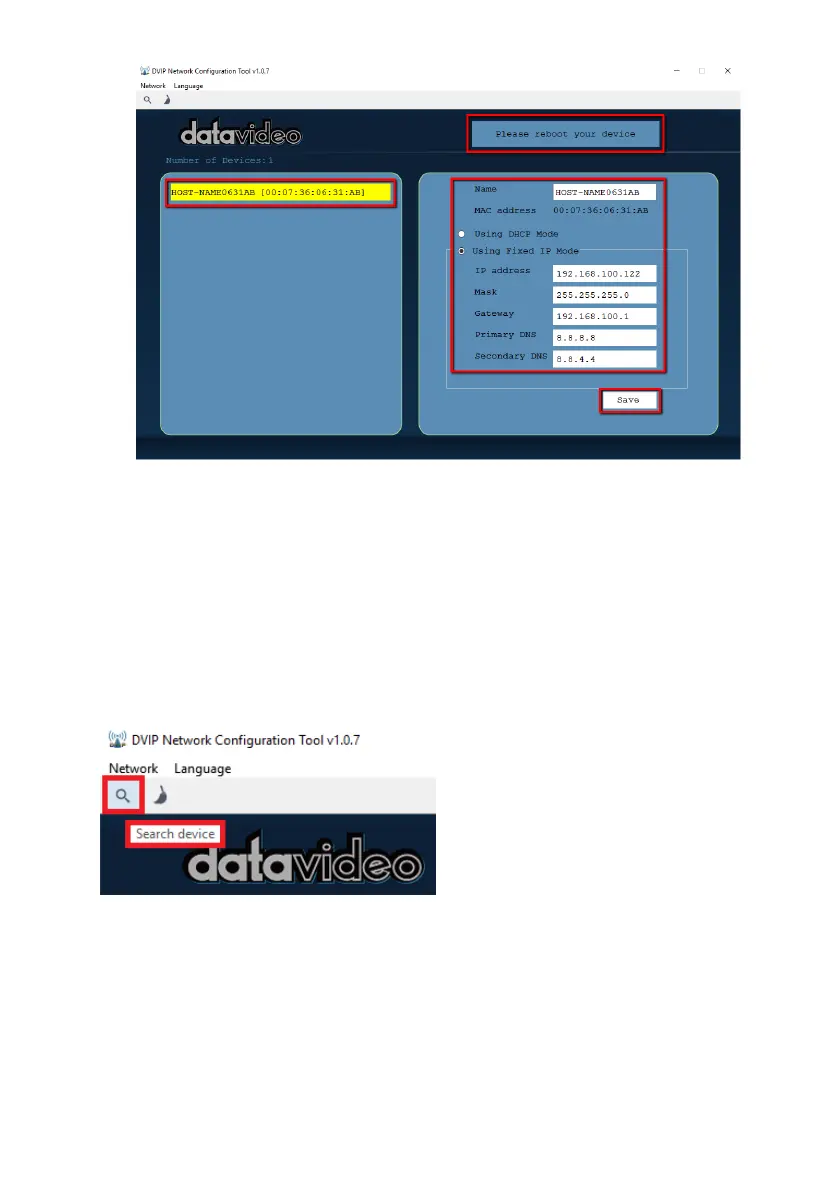
15. Reboot the device to apply the new settings.
In addition to configuring network settings of the connected DVIP devices, the
DVIP configuration tool also allows you to search for DVIP devices, clear the
device list, switch to other interface cards and change the interface language.
Each individual function is described below.
• Device Search
On the tool bar, the user can click the search icon to search for all DVIP
devices.
• Clearing Device List
On the tool bar, the user is allowed to clear the device list by clicking the
“Device List Clear” button.


 To Next Page