30
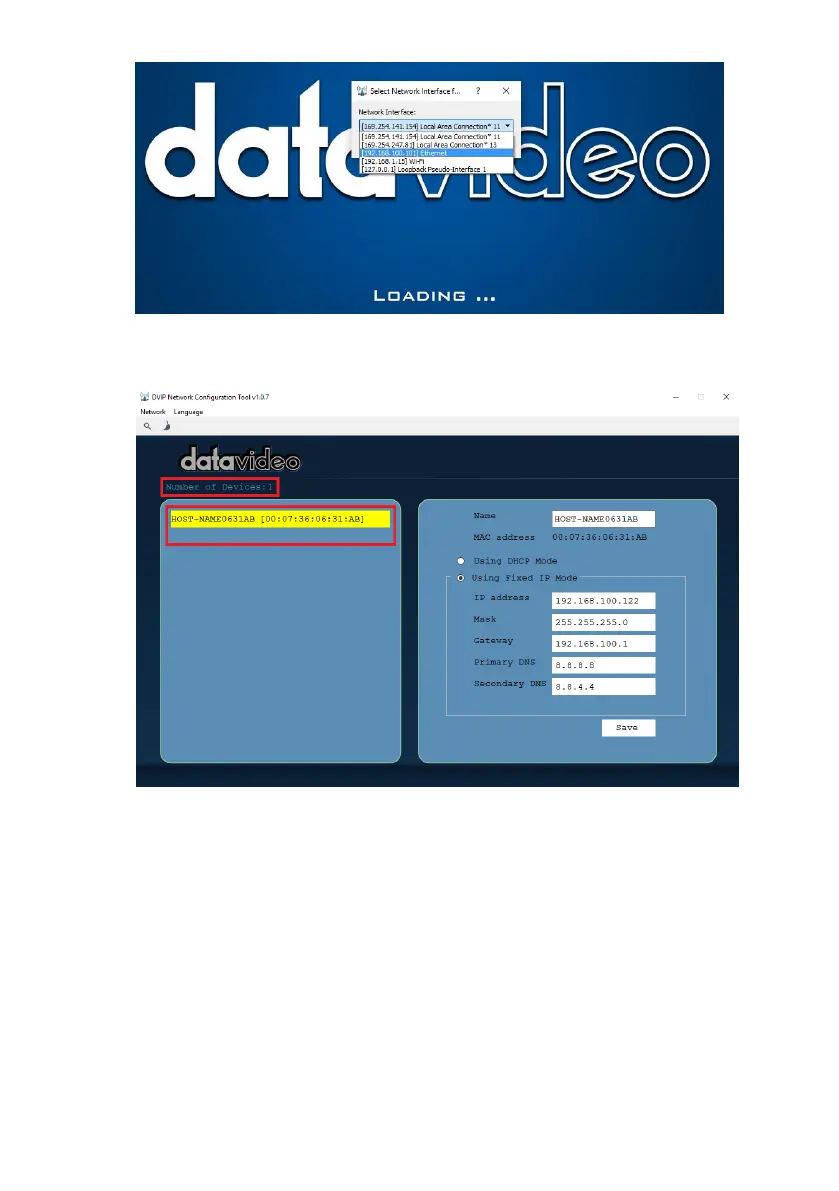
12. On the DVIP Device List, you will then be able to see the Device Name,
MAC address and IP address of the connected device.
13. After the network setting (Static or DHCP) and the host name are properly
configured, click the “Save” button to write the new information into the
device.
14. Right after the “Save” button is clicked, you will be able to see a prompt
message at the top right corner to request for a device reboot for the new
settings to become effective.


 To Next Page