PTZ TELEPROMPTER KIT TP-900
40
Connecting an External Display
You can connect an external display using the HDMI output on the TP-900. The HDMI output port is located
next to the Ethernet port.
External Display Setting Disabled (Recommended if using webUI control)
In this mode the external display will mirror the devices screen.
External Display Setting Enabled (Recommended if using USB keyboard and mouse)
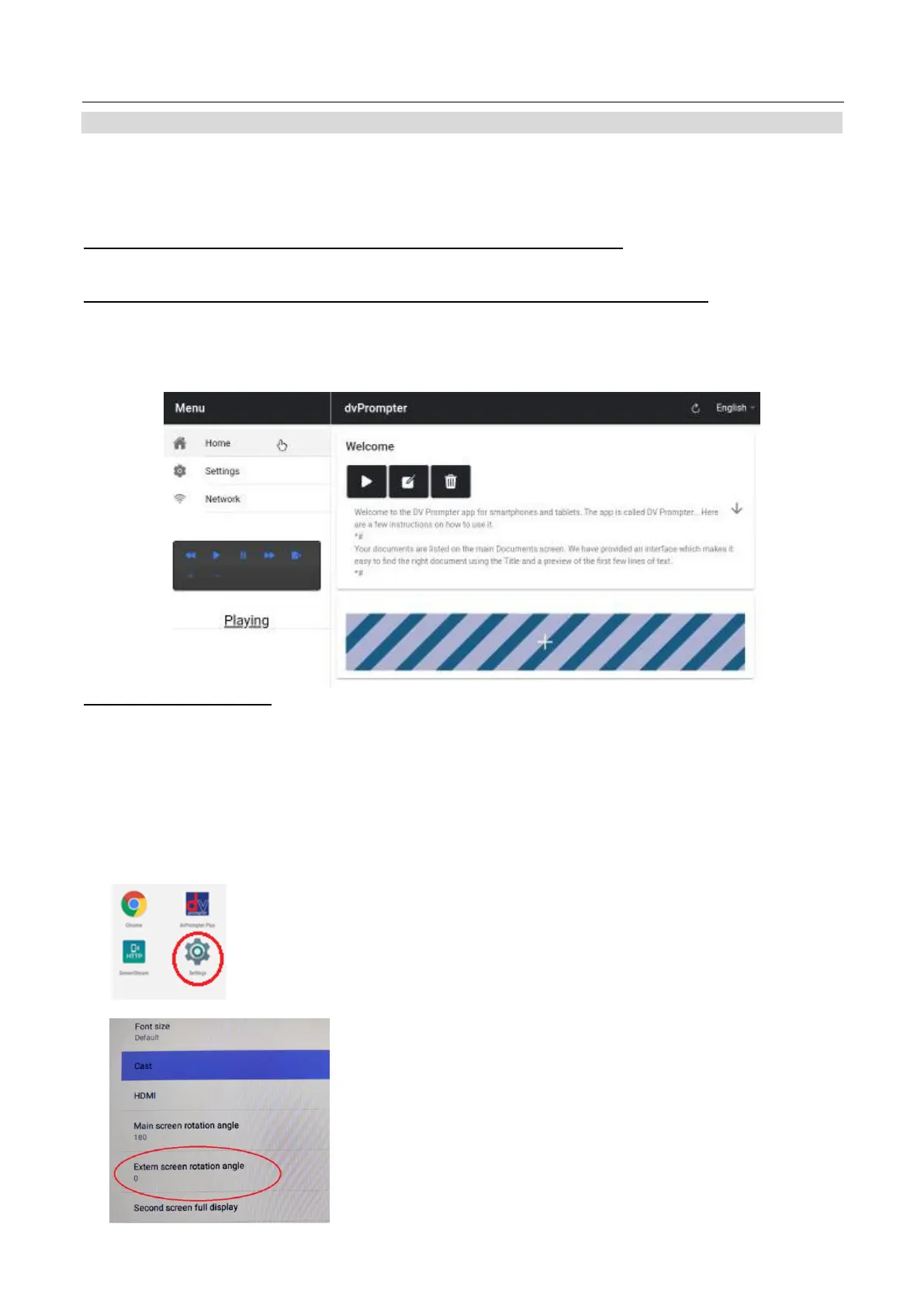
In this mode the text will only scroll on the external display leaving the device screen free for script control and
editing. The script control options can be access via the menu bar as seen below.
External Display Rotation
By default, the internal LCD screen is rotation angle is set to 180 degrees and the external HDMI output is set
to 0 degrees. This is the correct configuration for connecting multiple TP-900 units via HDM, however if using
the HDMI output to connect to an external display you should set the external rotation angle to 180 degrees
also.
To change this setting:
1. Connect the supplied USB mouse and right click to close the dvPrompter Plus app
2. Click the ‘Settings’ app by clicking it once
3. Click ‘Display’ and change the setting shown below



 To Next Page