PTZ TELEPROMPTER KIT TP-900
9
Assembly – TP-900
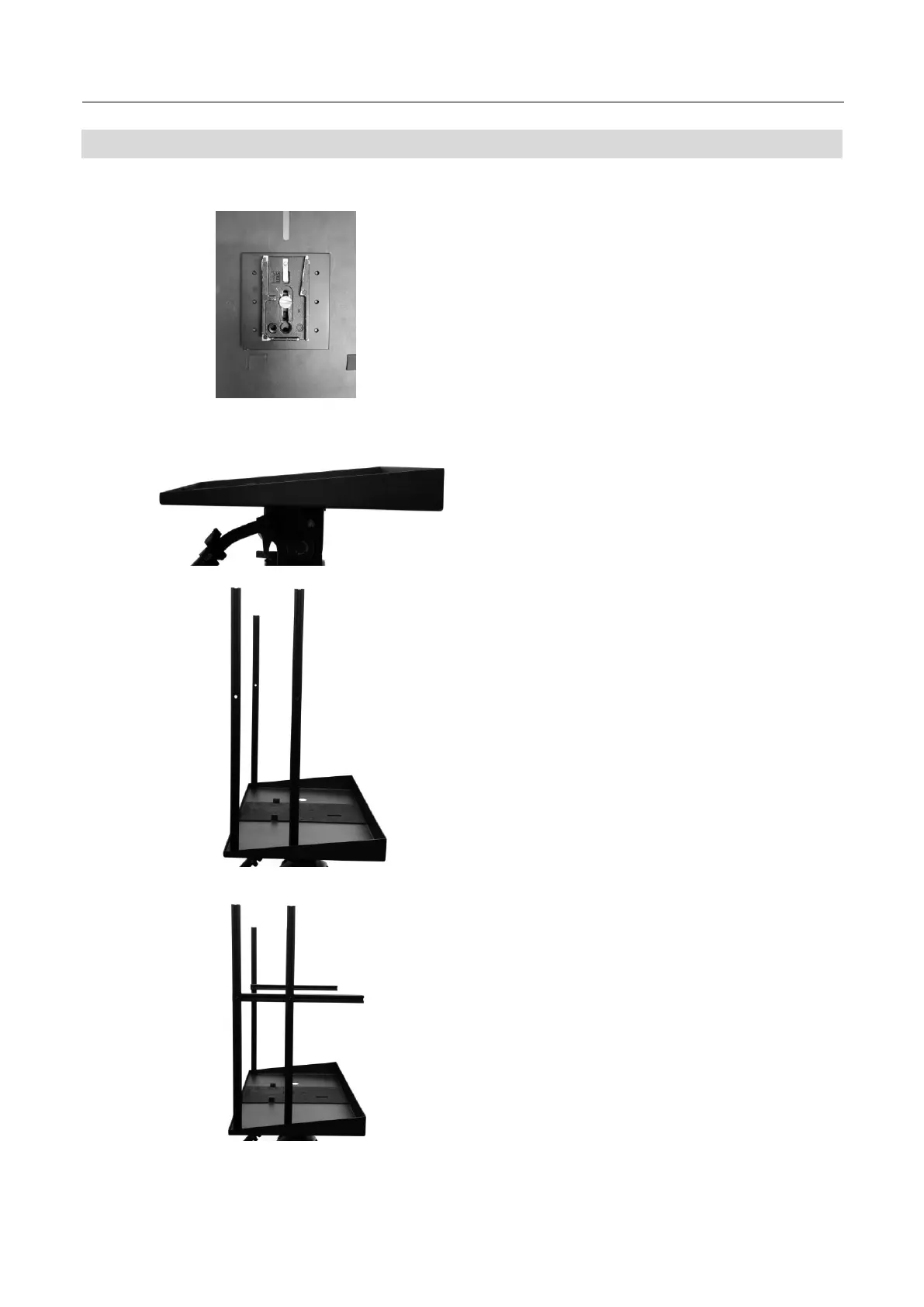
1. Attach/screw the tripod’s own quick release plate
to the screw holes on the base of the TP-900 metal
base tray with tripod plate, Item F. Use the 3/8 to
¼ adapter, Item O if required.
.
2. Now slide and secure the tripod plate, with TP-900
metal base tray with tripod plate, Item F, onto the
head of the tripod or dolly.
3. Attach the four 565mm Vertical extrusions, Item P
using the M6*14mm screws, Item M and M4 CRV
hex tool, Item I.
.
4. Attach the two 325mm glass support extrusions
with single end caps, Item R to the four 565mm
Vertical extrusions, Item P using the M6*40mm
screws, Item L and M4 CRV hex tool, Item I.
.



 To Next Page