2: Installation
PRC1077-MSOP 2-13
7. Connect the C991577 cable to the AM-1077 RF amplifier 50 ohm RF
OUT connector and to the 4242-MK2 antenna.
8. Connect the C991580 cable to the MT-1077-24 adapter J1 connector (on
backside), then to a 24 Vdc power source.
9. Remove the rubber protective cap from the dual AUDIO connectors and
connect a military handset (MHS either H-189/U or M-250/U) to one of
the connectors.
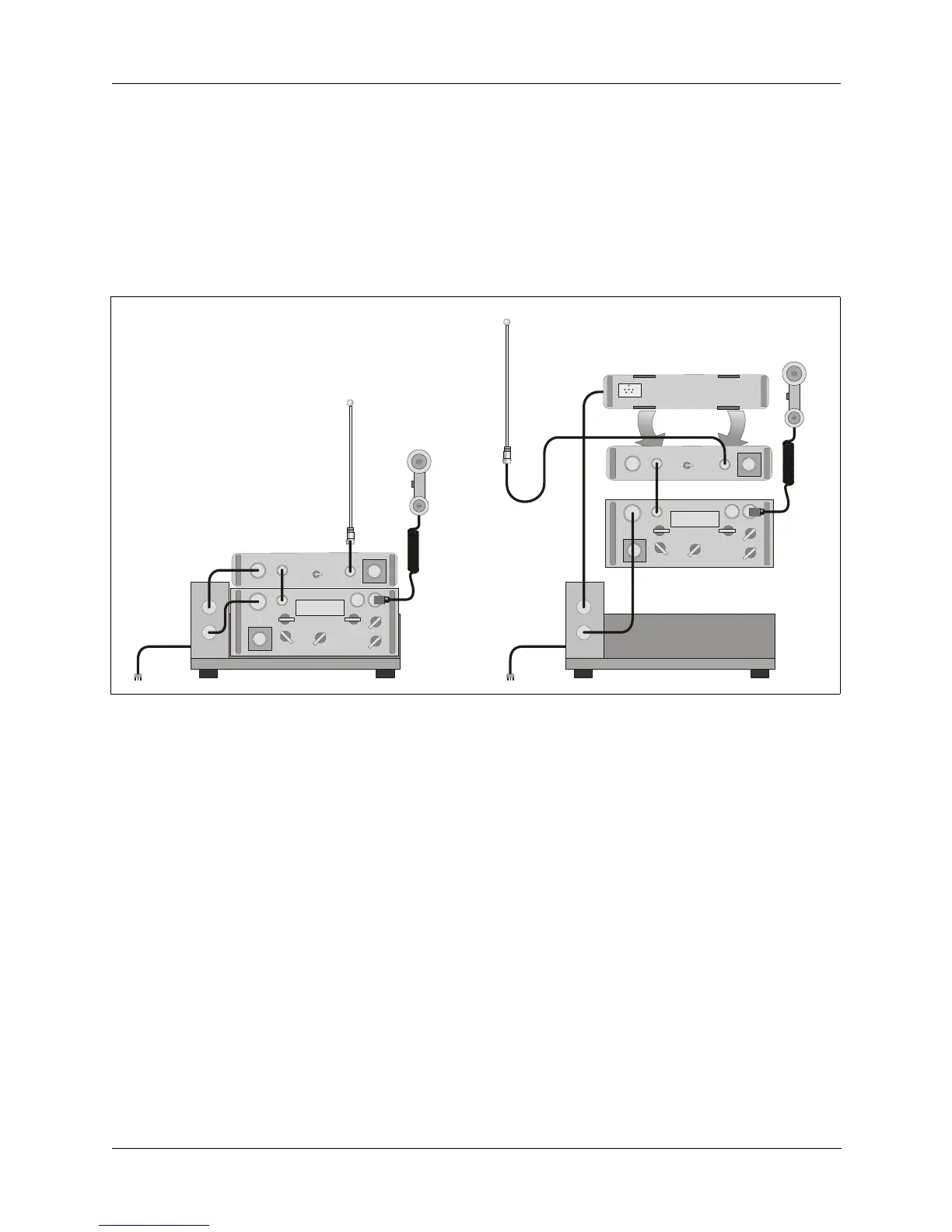
To install the PRC1077 into a 12 Vdc 50W mobile system (refer to the figure
above):
1. Without installing a battery, install the battery box onto the PRC1077
transceiver case (refer to "Installing the Battery" on page 2-2).
2. Slide the PRC1077 transceiver onto the MT-1077-12 adapter and clamp it
in place with the two mounting clamps. The MT-1077-12 includes an
integrated shock mount.
3. Install the AM1077CONV power converter to the back of the AM-1077
RF Amplifier case.
4. Position the AM-1077 50W RF amplifier on top of the PRC1077
transceiver case and install the two handle clamps to the front-panel
handles to secure the AM-1077 amplifier to the PRC1077.
Figure 2-8. 50W 12 Vdc Mobile System
to
+12 Vdc
r
to
+12 Vdc
source
C991580
AM-1077
MH
PRC1077
4242-MK2
C991577
C991949
MT-1077-12
PRC1077
4242-MK2
MHS
C991658
C991575
C991577
AM-1077
M1077CONV



 To Next Page