2: Installation
2-20 PRC1077-MSOP
To recharge a BB-LA6 battery and power a PRC1077 at the same time (refer
to the figure on page 2-19):
1. Connect the C991608 cable to the PRC-PS POWER SET connector (J1)
and to the PRC1077 POWER connector.
2. When using a 24 Vdc source, connect the C991609 cable to the PRC-PS
J2 connector and to a 24 Vdc power source; when using a 115/230 Vac
power source, connect a 110 Vac power cable to the PRC-PS J3 connector
and a 115/230 Vac power source.
3. Power on the PRC-PS and observe the indicator lights:
• Fault indicator light, illuminates if the battery is not connected
properly or is shorted.
• Charging indicator light, illuminates during normal charge cycle
• Ready indicator light, illuminates when the battery is fully charged.
4. Leave the PRC1077 powered off unless it needs to be operated while
being recharged.
5. Connect a BB-LA6 battery directly to the PRC-PS J4 connector.
6. Allow about 6 hours to recharge a battery discharged to 20% of capacity.
PRC-BC4
Multiple Battery
Charger
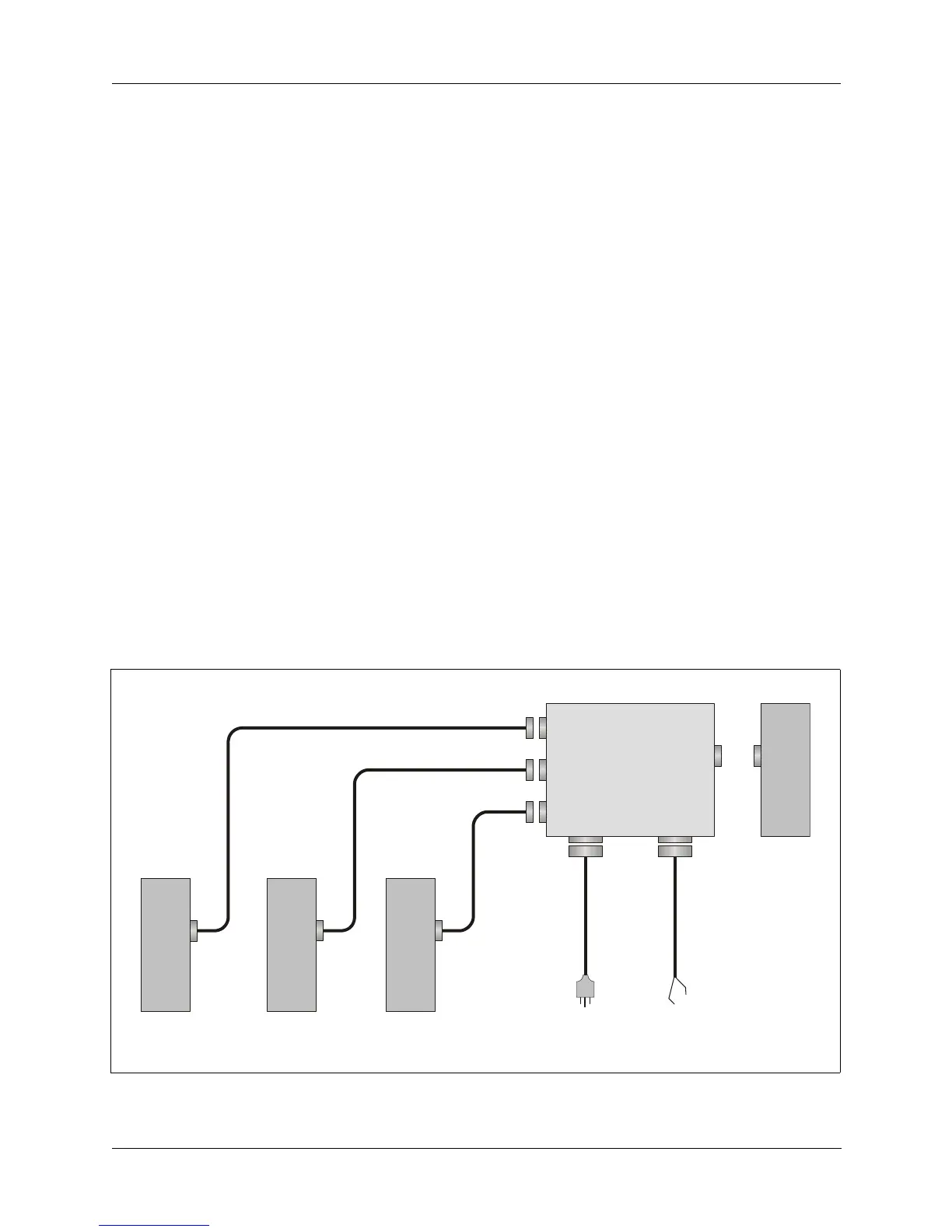
The PRC-BC4 battery charger can charge up to four BB-LA6 sealed
lead-calcium batteries simultaneously.
Figure 2-12. PRC-BC4 Multiple Battery Charger
SET
PWR
AC
INPUT
DC
INPUT
PRC-PS
BB-LA6
to
115/230 Vac
r
to
24 Vdc
source
C991609
C991610
C991610
C991610
BB-LA6BB-LA6BB-LA6
J4
J1
J3 J2



 To Next Page