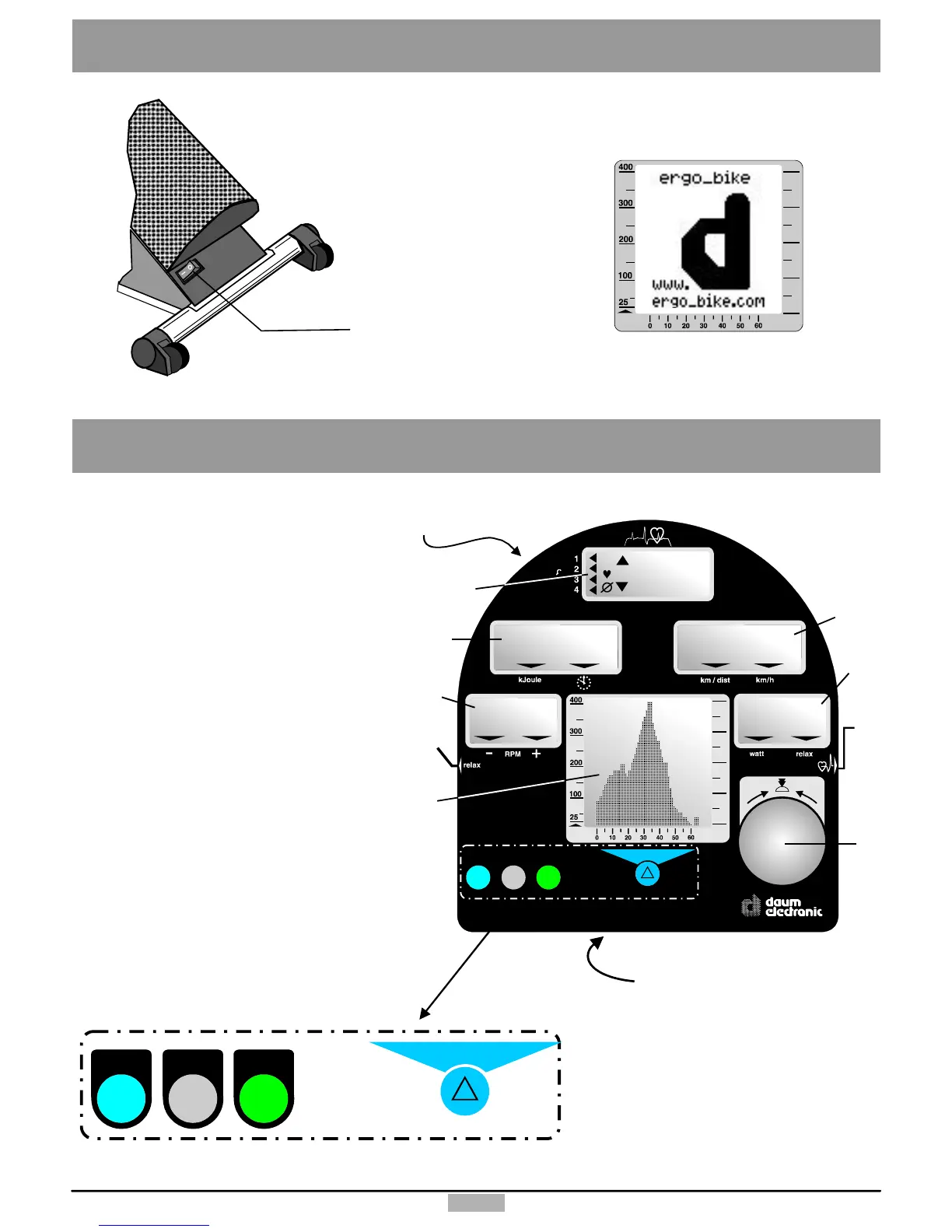
Heartratedisplay
Dissipatedenergyandtimedisplay
RPMdisplay
Speedanddistancedisplay
Loadinwattdisplay
Graphicscreen
Controlbutton
Pulsesensorconnector
Relaxsensorconnector
Menukey
Infokey
Fitnesskey
Functionkey
Resetkey(recessed)
PCconnector
1.
2.
3.
4.
5.
6.
7.
8.
9.
10.
11.
12.
13.
14.
15.
10 11 12 13
menu fitness
info
8
7
()Underside
14
9
()Underside
15
watt
menu fitness
info
188
OK
0
88.8
88.8
8
:
88.
.8
8
:
88.
.8
1
2
3
4
5
6
TheDashboard
2
TheOn/Offswitchislocated
ontherearofthedevice.
SettingUp
WhenthedeviceisswitchedOn,the
LCDscreendisplaysabig“d”and
thesystemplaysastart-uptune.
Afterthisthesystemdisplaysthe
programlastused.Themanual
programisdisplayedonthefirst
start-up.
watt
On/Off



 To Next Page