6
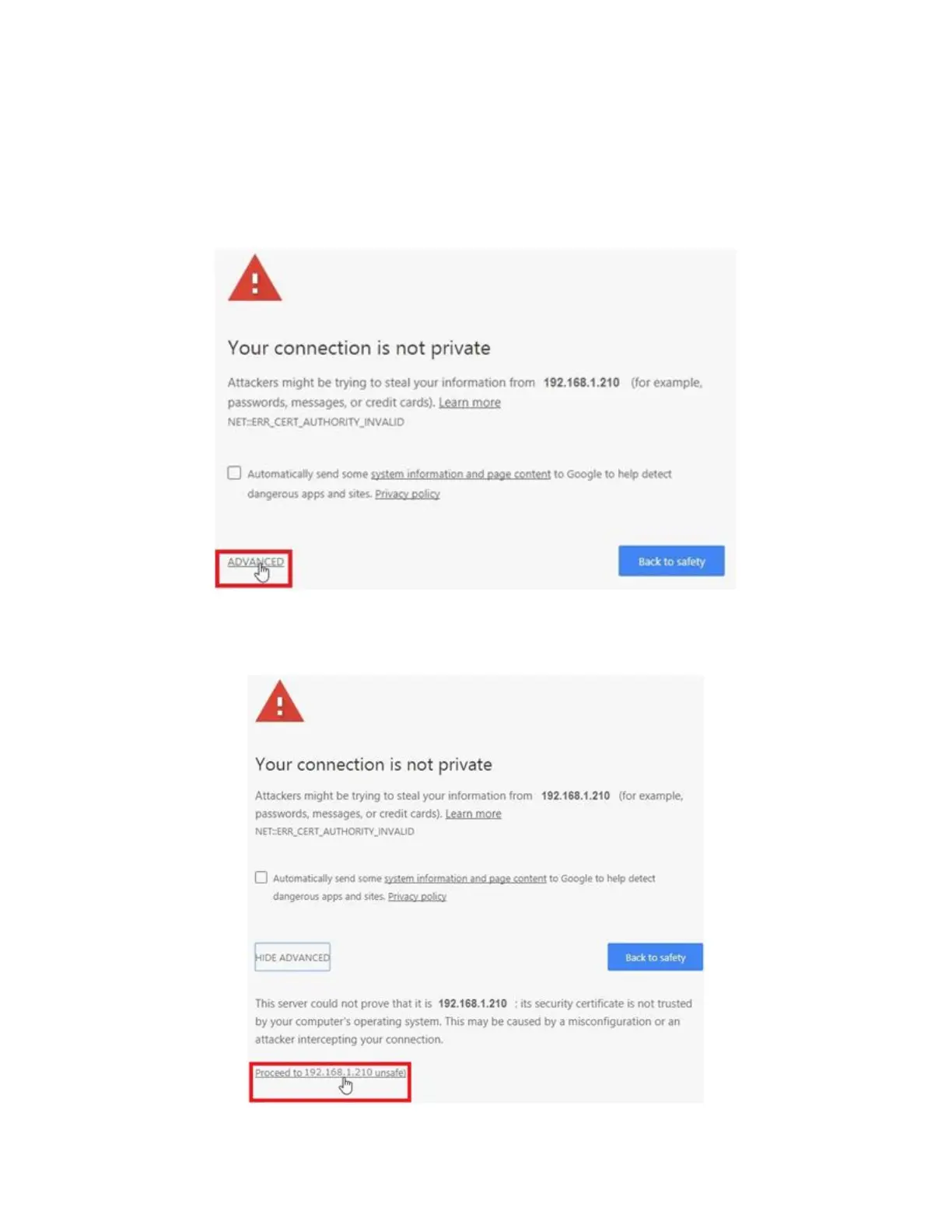
Launch Chrome and enter 192.168.1.210 in the URL box, then hit enter. Wait until you
see the screen shown below. Note that despite this warning message, there is
absolutely no danger in connecting to the unit. The message relates to the Cortex
360 web server’s security certificate which can’t be verified by the browser at this
point. Click on “ADVANCED”.
Next, click on “Proceed to 192.168.1.210 (unsafe)”. There is no problem with accessing
the unit this way.



 To Next Page