14
220i
DriveRack
®
User Manual
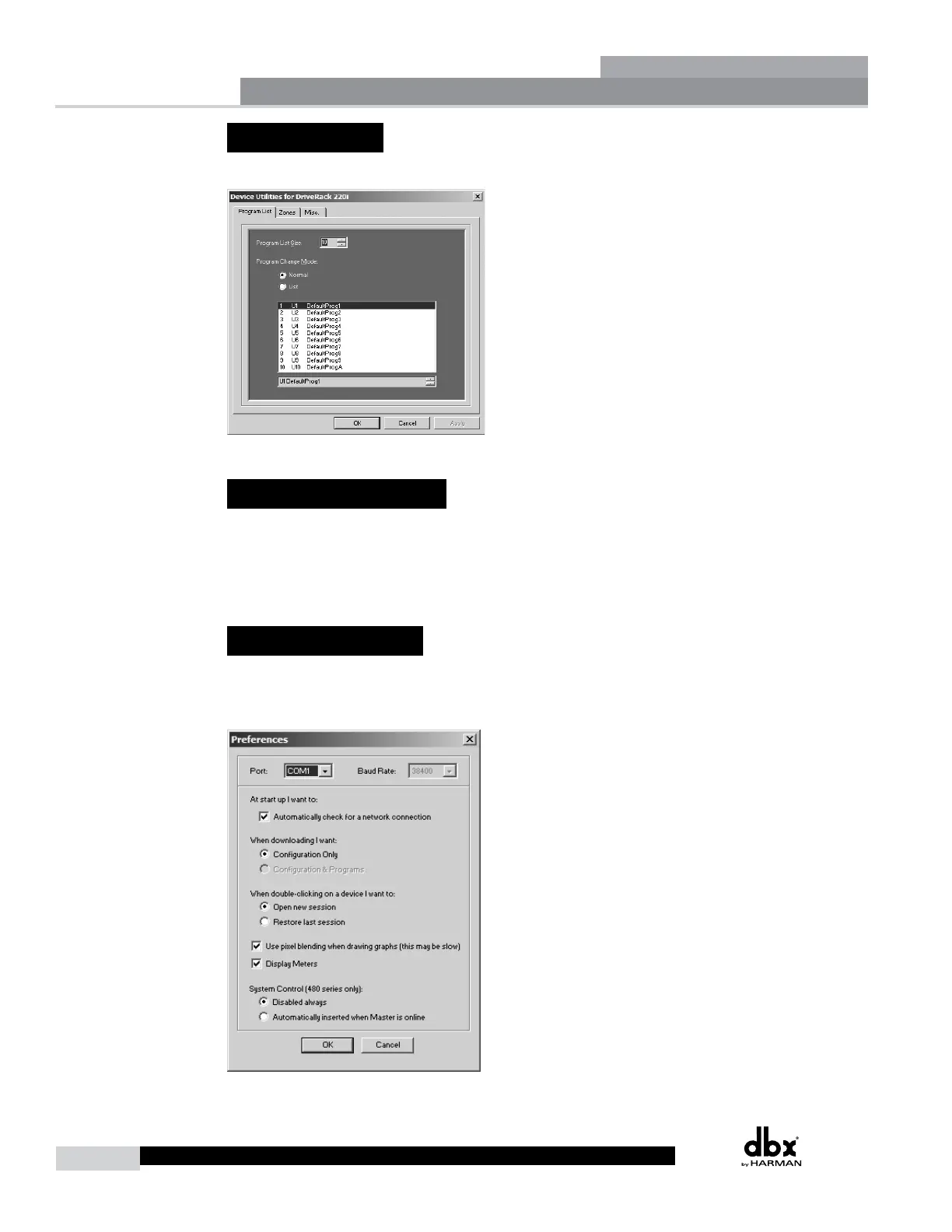
2.11 - Utilities
The DriveRack 220i utilities can be entered by clicking on Edit on the Menu Bar and selecting Utilities.
2.12 - Online/Offline
The DriveWare GUI provides a mechanism for creating programs while not physically connected to the
DriveRack unit. The GUI can be opened and a DriveRack unit can be inserted using the Insert menu
from the Menu Bar. The unit can be configured and edited just the way a real unit can. The program can
then be Exported to the computer and saved.
2.13 - Preferences
Preferences can be found by clicking on File on the Menu Bar. Preferences allow you to change your
communication preferences. It is recommended that you not adjust these unless there is a specific
problem that is keeping you from connecting to the DriveWare GUI.
Software Operation
Section 2



 To Next Page