41
220i
DriveRack
®
User Manual
5.4 - BGM/Paging
Hardware
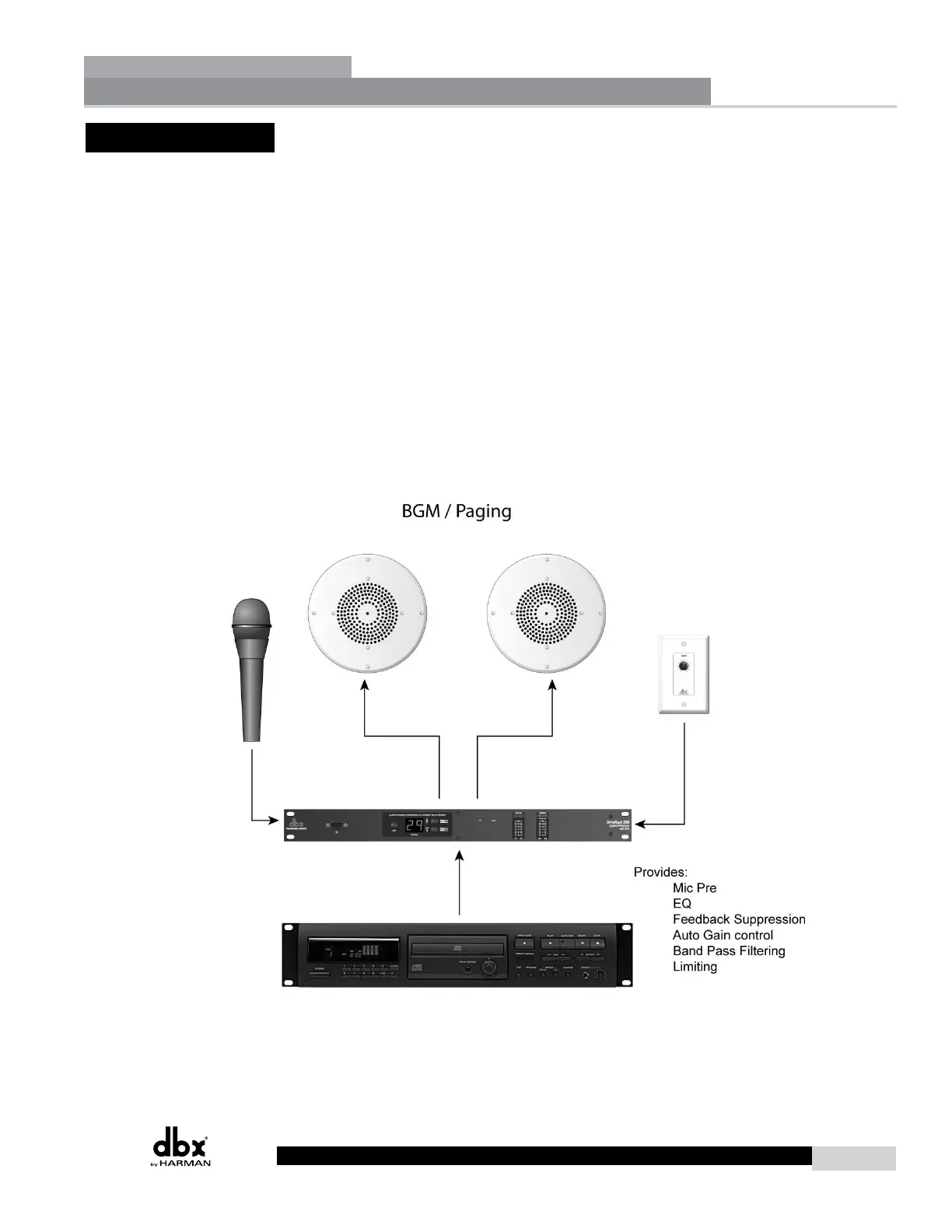
1. Connect the audio source to CH 2 of the DriveRack 220i.
2. Connect the outputs of the DriveRack to the amplifier.
3. Making sure that all outputs are muted, apply power to the mixer and amplifiers.
4. Make connections between the Zone Controllers and the 220i if applicable.
Software
1. Select Program 5 - Restaurant.
2. Load the program from either the front panel of the DriveWare GUI.
3. Adjust the individual parameters for the system by selecting and editing the Processing Modules
from the DriveWare GUI.
4. Using the utility menu select the ID for the Zone Controller and program the boost and cut
amounts.
Application Guide
Section 5



 To Next Page