38
Crossover Types
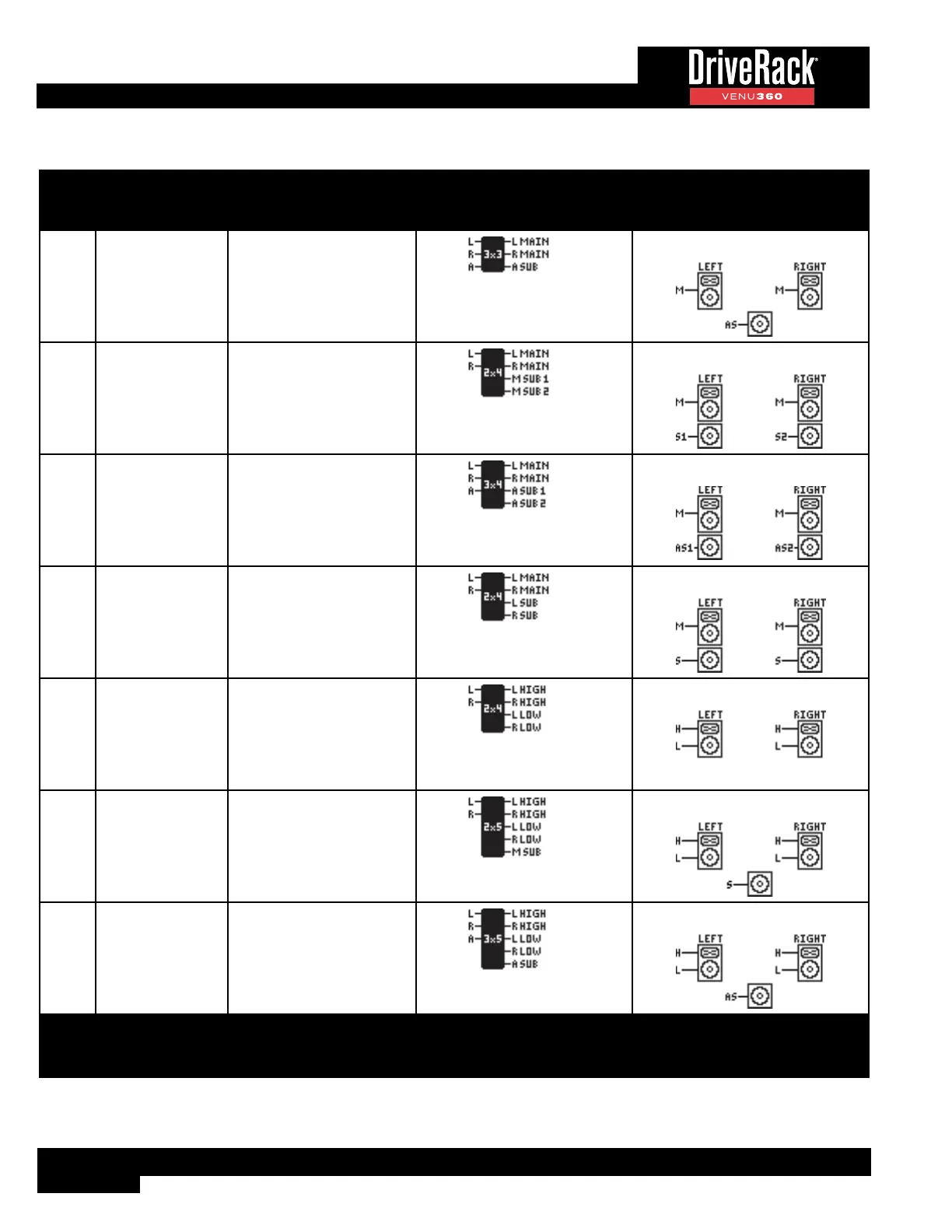
Ref # # Of Inputs/Outputs Crossover Name Crossover Configuration Icon Supported Speaker Configuration
35 3x3 Stereo Mains + Aux Sub
36 2x4 Stereo Mains + Mono Subs x2
37 3x4 Stereo Mains + Aux Subs x2
38 2x4 Stereo Mains + Stereo Subs
39 2x4 Stereo 2Way
40 2x5 Stereo 2Way + Mono Sub
41 3x5 Stereo 2Way + Aux Sub
LEGEND: M=Mono, L=Left,
C=Center, R=Right, A=Aux
LEGEND: FR=Full Range, S=Sub,
AS=Aux Sub, H=High, M=Main or
Mid, L=Low



 To Next Page