SI-3
™
User’s Manual
11
connect” message in the status bar on the bottom of the window
you need to check your connections between the PC and the SI-
3™.
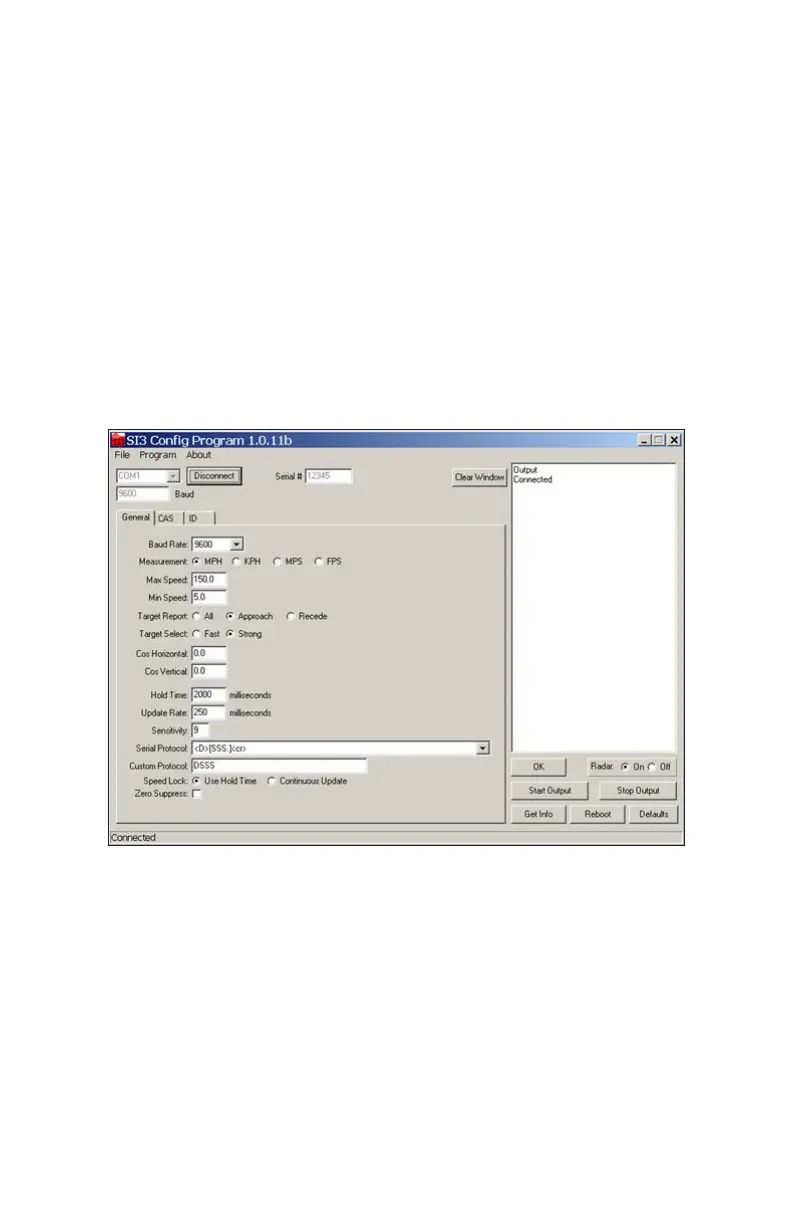
4. If SI-3™ Cong is able to connect to the SI-3™, the screen
will appear as shown below in Figure 4.2c. In this screen the
information that appears accurately depicts the present
conguration of the SI-3™. Any changes made to the SI-3™
conguration are sent and stored in non-volatile memory. If
you turn o the SI-3™ unit while the SI-3™ Cong program is
connected, just press the "Disconnect" button and reconnect.
Figure 4.2c
Connected
Any grayed-out box such as the serial number box is for reference
only and cannot be changed. The "OK" button sends an OK
command to the device which then responds with the message “OK”.
This feature can be used to check communication status at any time.



 To Next Page