15
Add More Decos
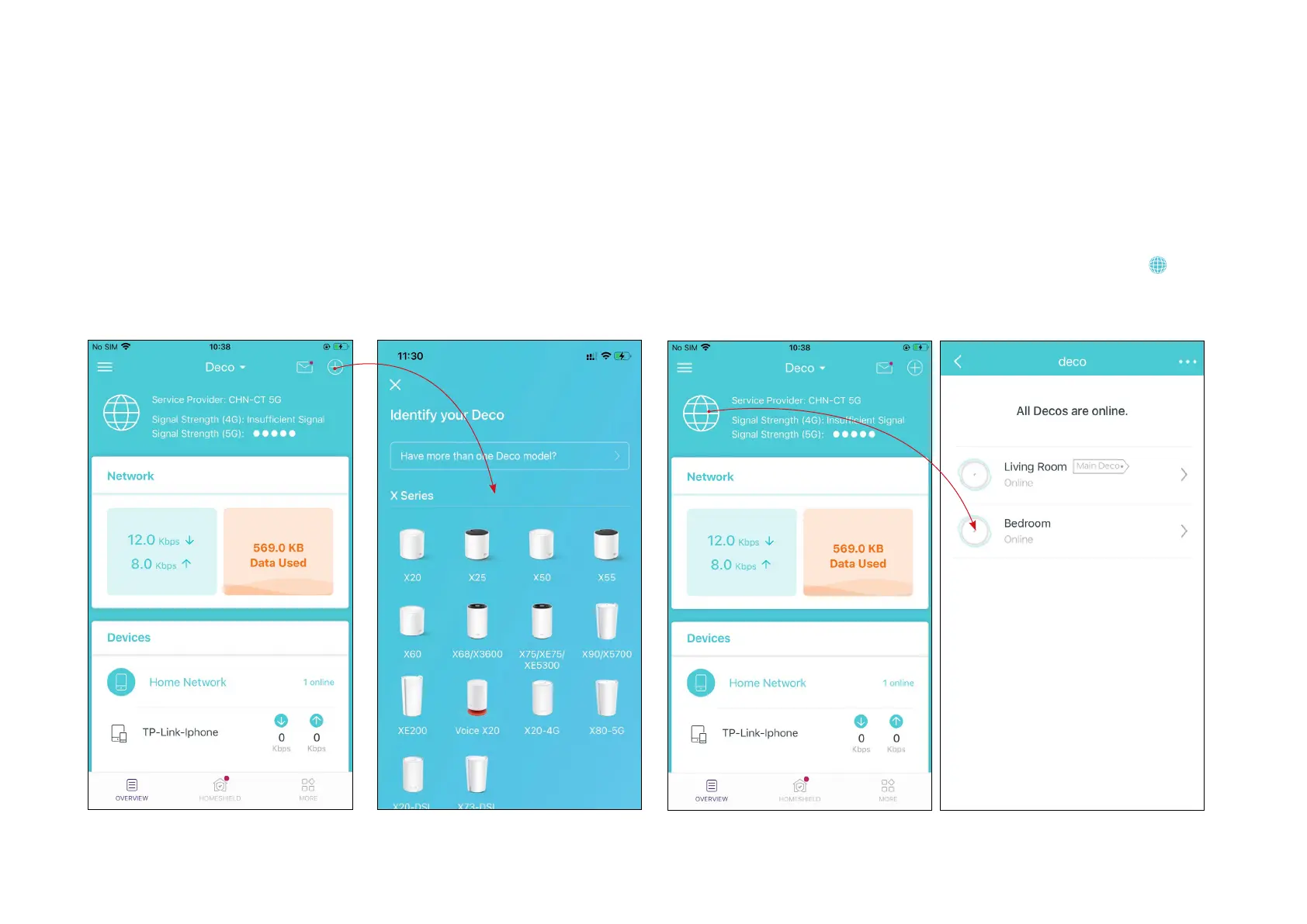
After creating a Deco network, you can add more Deco units to the network to expand the Wi-Fi coverage and manage them easily on your Deco app.
1. In Overview, tap +.
*The app screen depicted is for 4G/5G Router mode only and may differ when Deco works in different modes.
3. After the setup, you can find the added Deco units by tapping in
Overview.
2. Select the Deco model you want
to add, and follow app instructions
to complete the setup.


 To Next Page