48
4G/5G Backup (for Wireless Router Mode)
When Deco works in Wireless Router mode, you can use 4G/5G network as a backup solution for internet access. When 4G/5G Backup is enabled, your
Deco will be directly connected to the 4G/5G network when your original network service fails.
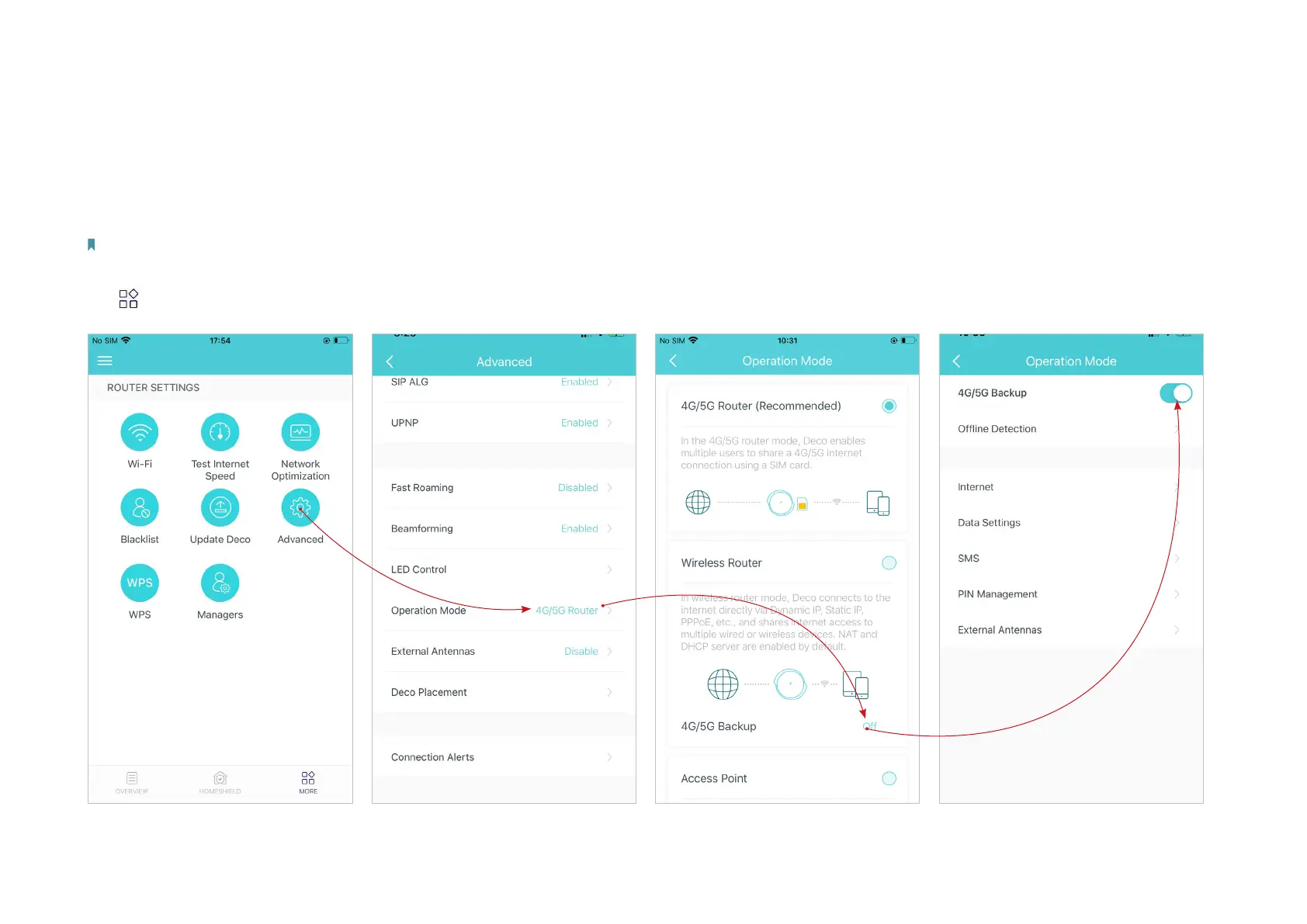
Follow the steps below to enable 4G/5G Backup and congure the corresponding settings.
Note: The 4G/5G Backup and Oine Detection can only be enabled from local management when Deco works in Wireless Router mode.
Tap > Advanced > Operation Mode > 4G/5G Backup and enable 4G/5G Backup.
*The app screen depicted is for 4G/5G Router mode only and may dier when Deco works in dierent modes.


 To Next Page