51
WPS
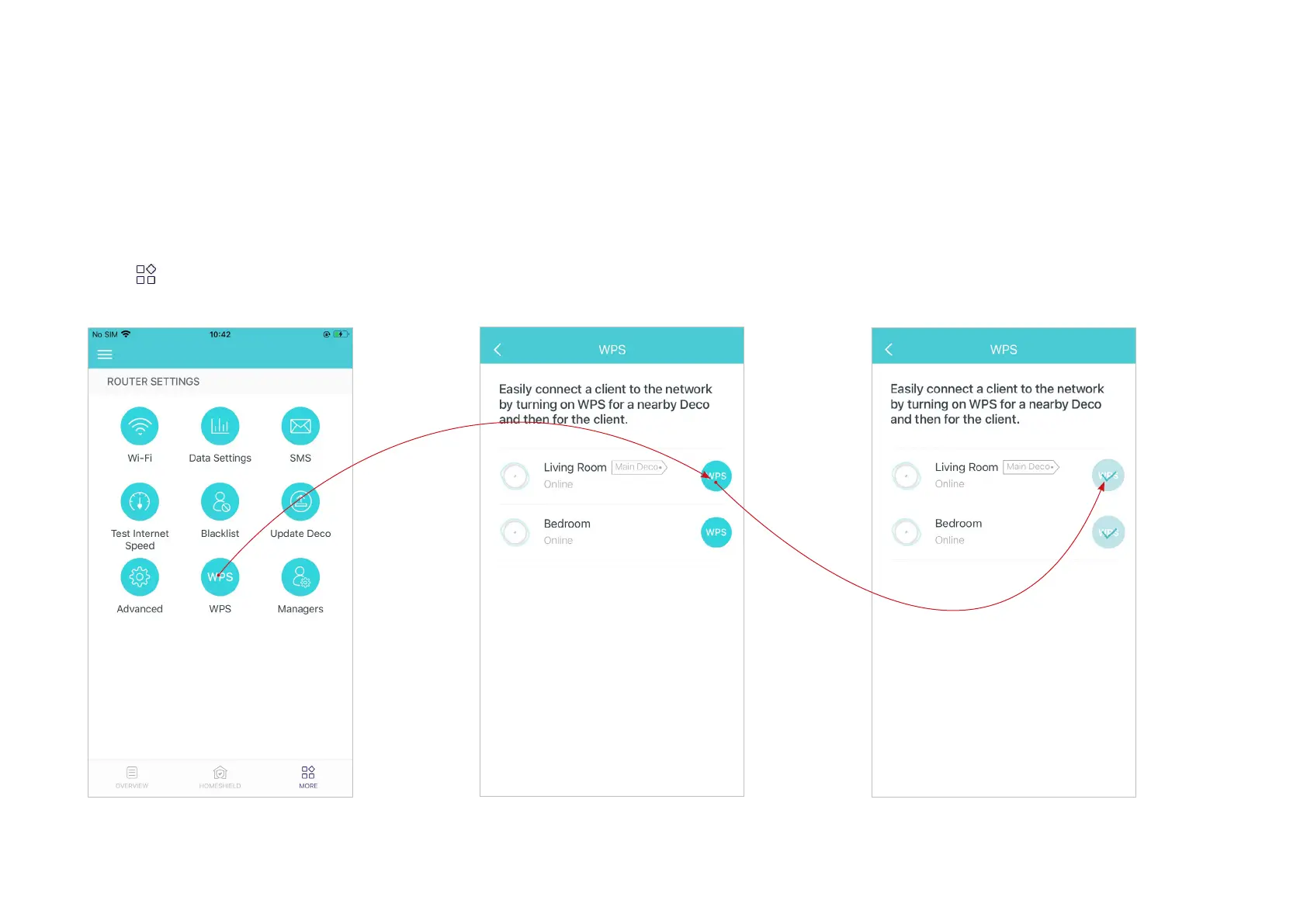
WPS (Wi-Fi Protected Setup) helps you to quickly and securely connect a client to the network with a tap without entering any password.
1. Tap > WPS.
*The app screen depicted is for 4G/5G Router
mode only and may dier when Deco works in
dierent modes.
2. Tap the WPS icon in Deco app and then
on your client.
3. Your client has connected to the network
successfully if shown as below.


 To Next Page