37
Internet Settings (for 4G/5G Router Mode)
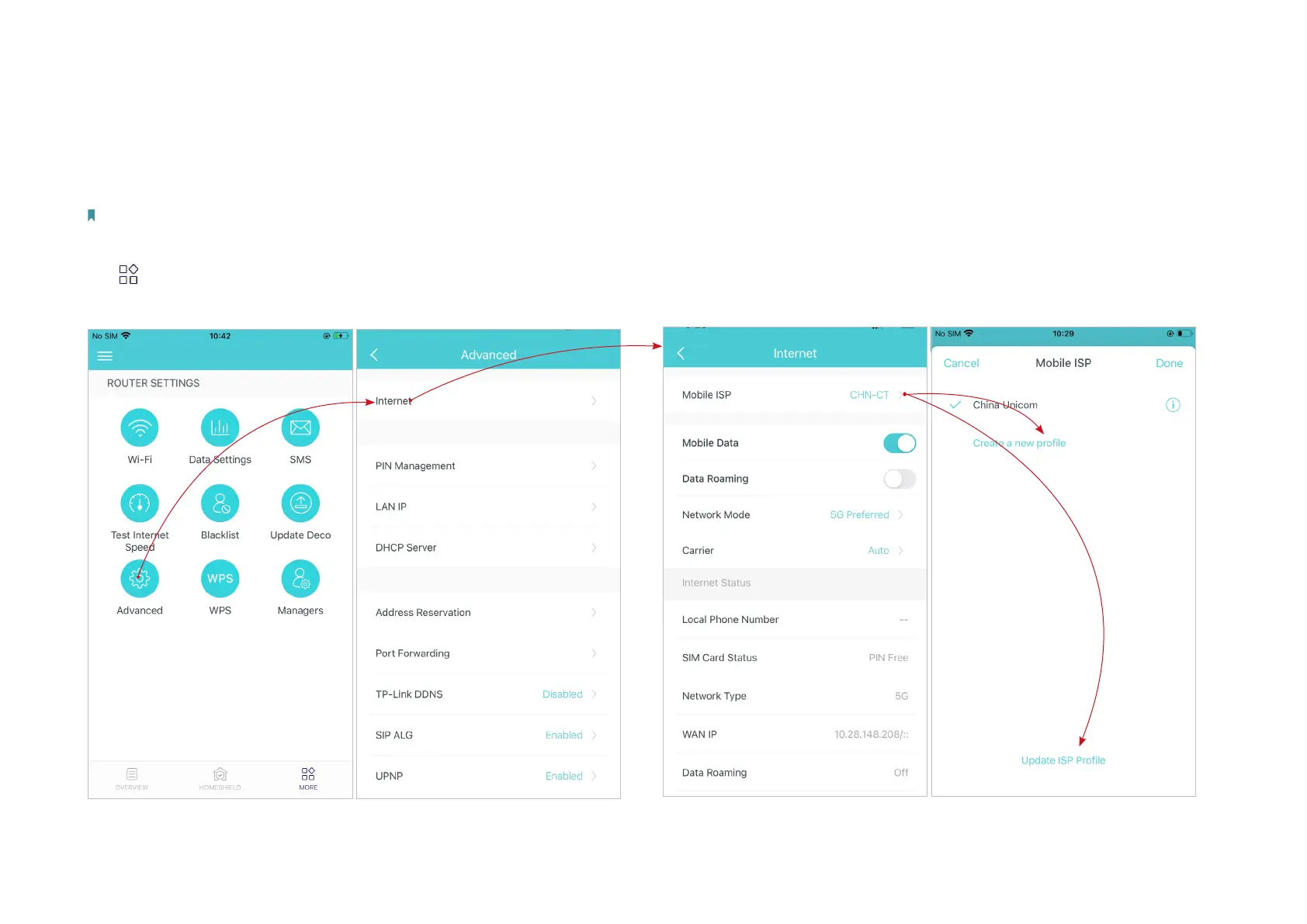
When Deco works in 4G/5G Router mode, you can congure the internet settings, including updating or creating your ISP prole, enabling/disabling
mobile data and data roaming, changing a network mode, and more.
Note: It is not available to change the internet settings when remotely controlling the network from the Deco app.
When Deco works in Wireless Router mode, you need to go to MORE > Advanced > Operation Mode > 4G/5G Backup and enable 4G/5G Backup to configure the internet settings.
Tap > Advanced > Internet.
*The app screen depicted is for 4G/5G Router mode only and may dier when Deco works in dierent modes.
Tap Mobile ISP to update your ISP profile or create a new one. For detailed
information, contact your ISP.


 To Next Page