16
Dashboard
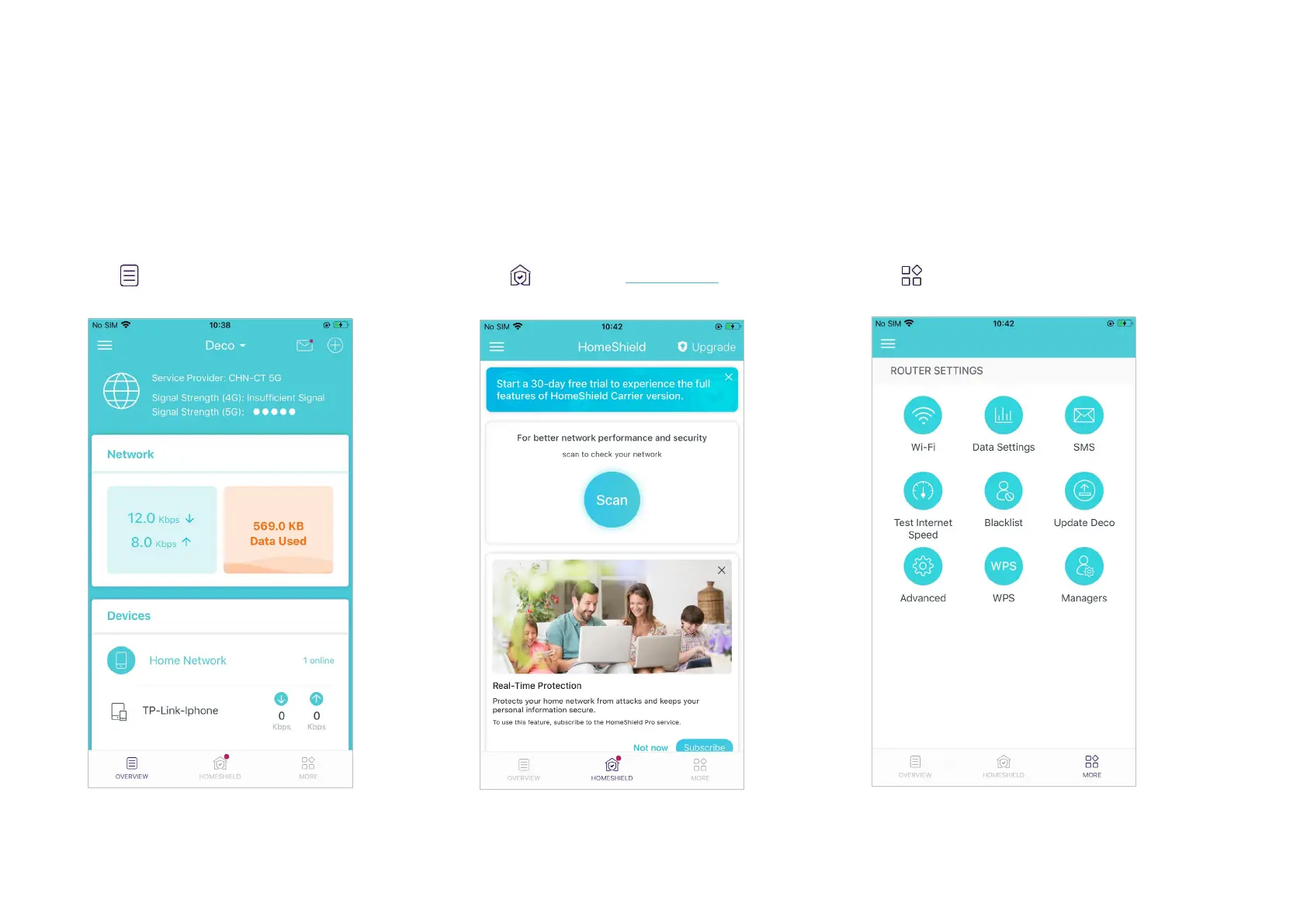
After you successfully set up your Deco network, you will see the dashboard of the Deco app. Here you can get an overview of the network status,
check the real-time network speed and data usage when Deco works in 4G/5G Router mode, customize your home network with enhanced security
using a kit of features built to TP-Link HomeShield and set up various advanced features.
Tap to get an overview of the network
status.
Tap to enter the HomeShield page for
enhanced security.
Tap for more features.
*The app screen depicted is for 4G/5G Router mode only and may dier when Deco works in dierent modes.


 To Next Page