34
Test Internet Speed
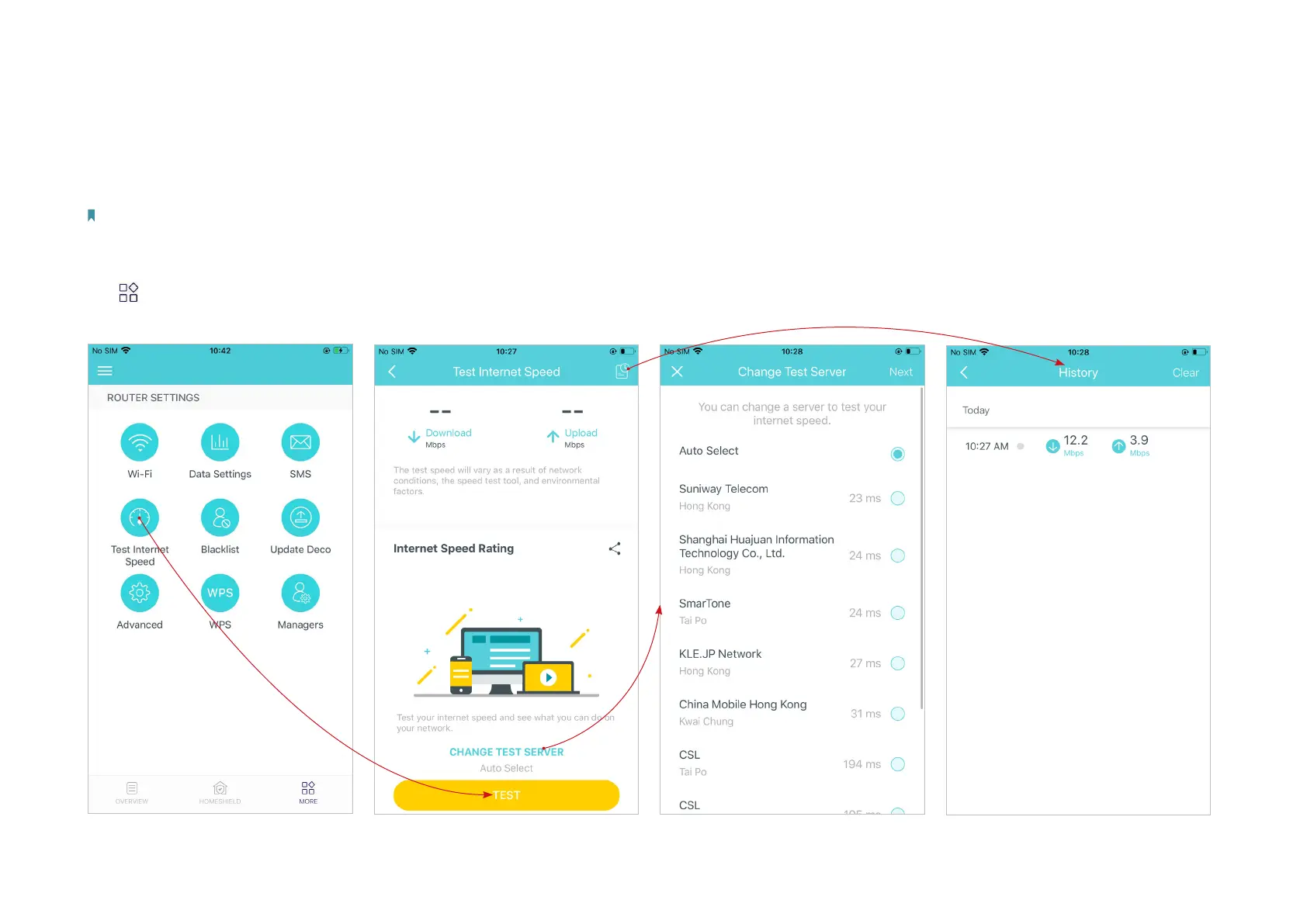
Test your internet speed, including upload speed and download speed anytime when needed. The latest test result is shown on your dashboard,
reflecting the rate at which data is downloaded and uploaded.
Note: The speed test result shows the speed which main Deco gets from the modem, not the speed on the client connected to the Deco. The test speed will vary as a result of network conditions, the speed
test tool, and environmental factors.
Tap > Test Internet Speed.
*The app screen depicted is for 4G/5G Router mode only
and may dier when Deco works in dierent modes.
Tap Test to start testing the internet
speed.
If the test speed is slow, you can
change the test server as needed.
Check your test history.


 To Next Page