2
Appearance
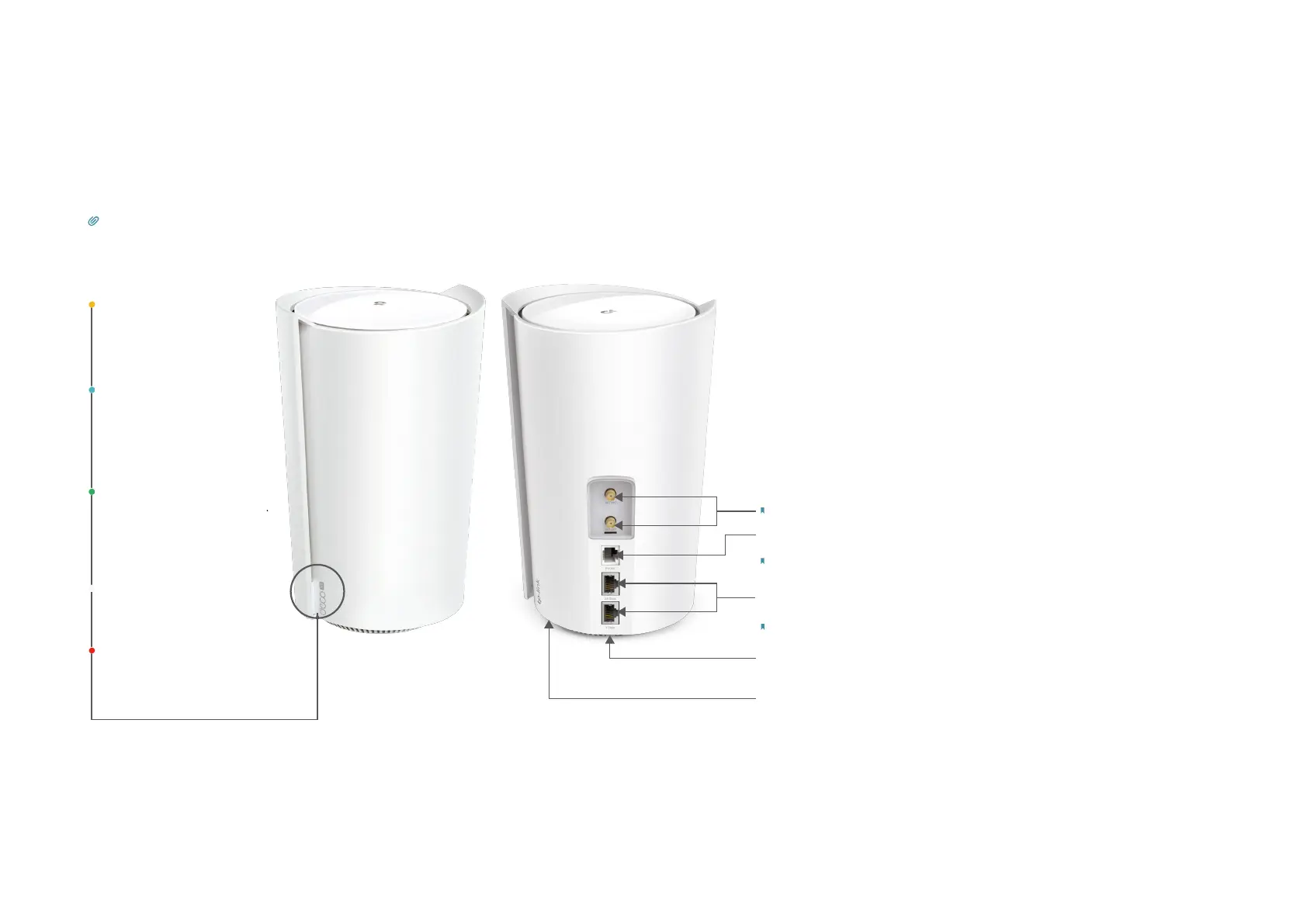
Each Deco has an LED that changes color according to its status, one analog phone port, two RJ-45 Ethernet ports, two external antennas port, a SIM
card slot, a power slot, and a Reset button.
Tip: The product label can be found at the bottom of the product.
Pulse Yellow:
Deco is resetting.
Solid Yellow:
Deco is starting up.
Pulse Blue:
Deco is ready for setup
or WPS in progress.
Solid Blue:
Deco is setting up.
Pulse Green:
Deco is upgrading rmware.
Solid Green:
Deco is all set up and
connected to 4G / WAN.
Solid White:
Deco is all set up and
connected to 5G.
Pulse Red:
The satellite Deco is disconnected
from the main Deco.
Solid Red:
Deco has an issue.
1 Gigabit Ethernet Port & 2.5 Gigabit Ethernet Port:
For connecting to your modem, the Ethernet outlet, or for other
Note: All WAN/LAN ports will operate as either WAN or LAN ports. Only one port can serve as a WAN port at a time.
Power Slot:
For connecting Deco to the power socket via the provided power adapter.
Note: VoLTE is only enabled for certain carriers. It also requires to have VoLTE services
enabled on the service plan for your SIM card that is used with Deco.
Analog Phone Ports (for VoLTE telephony) :
For connecting to your analog phone to use VoLTE telephony.
Note: Make sure you have installed two external antennas to ensure that Deco's 5G network works properly.
External Antennas:
For connecting external antennas (not included in the package) to your Deco.
Reset Button:
Press for 1 second and release to reset Deco to factory default settings.
The light changing from pulsing yellow to solid yellow indicates a successful reset.


 To Next Page