31
Wi-Fi Settings
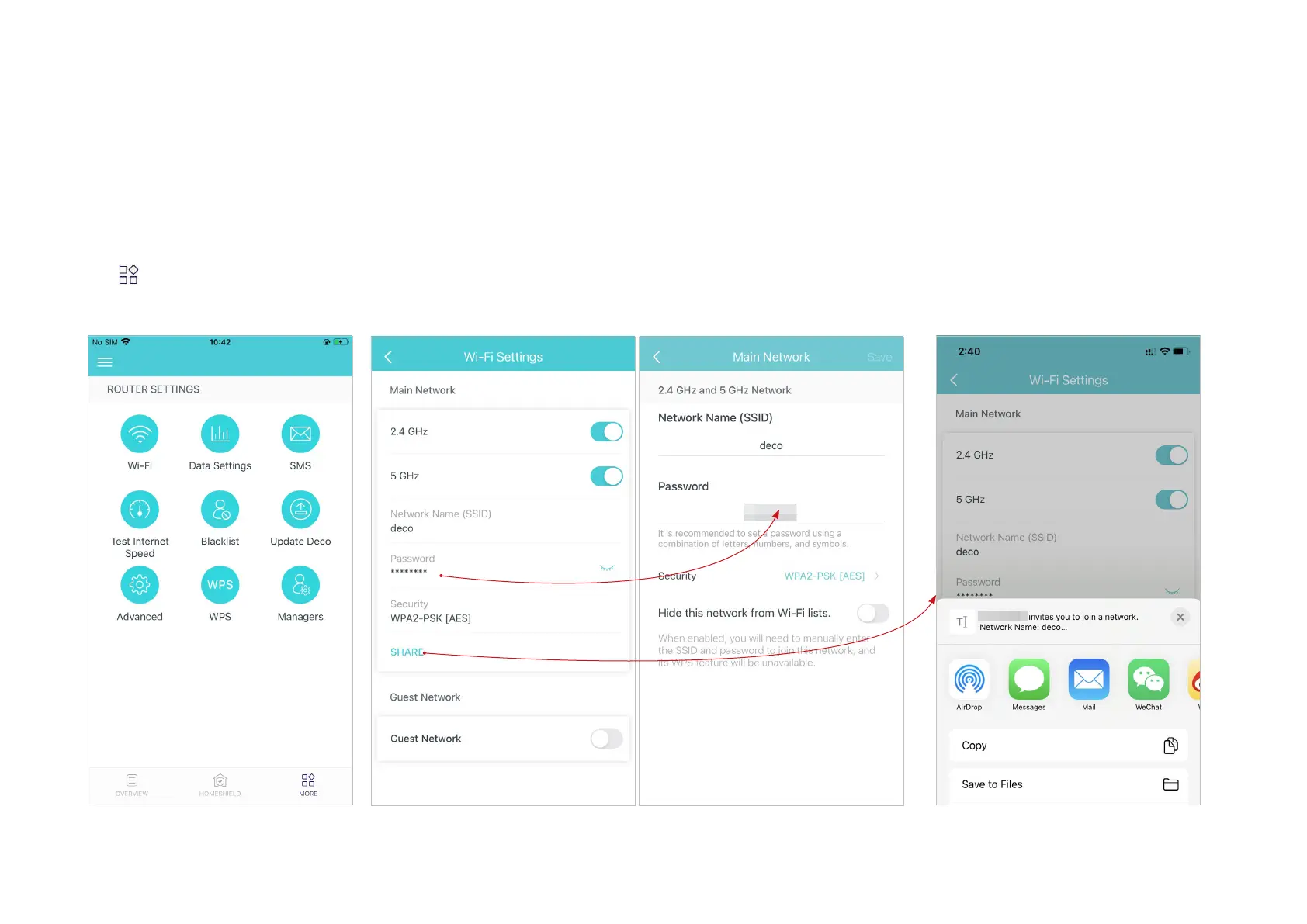
You can change the network name and password of your main network at any time and share the network easily with family and friends.
Manage main network (eg. change your main network's Wi-Fi name and
password, hide the network from Wi-Fi list, etc.).
Tap > Wi-Fi.
*The app screen depicted is for 4G/5G Router
mode only and may dier when Deco works in
dierent modes.
Share your network with others.


 To Next Page