20
Remove/Reboot Deco
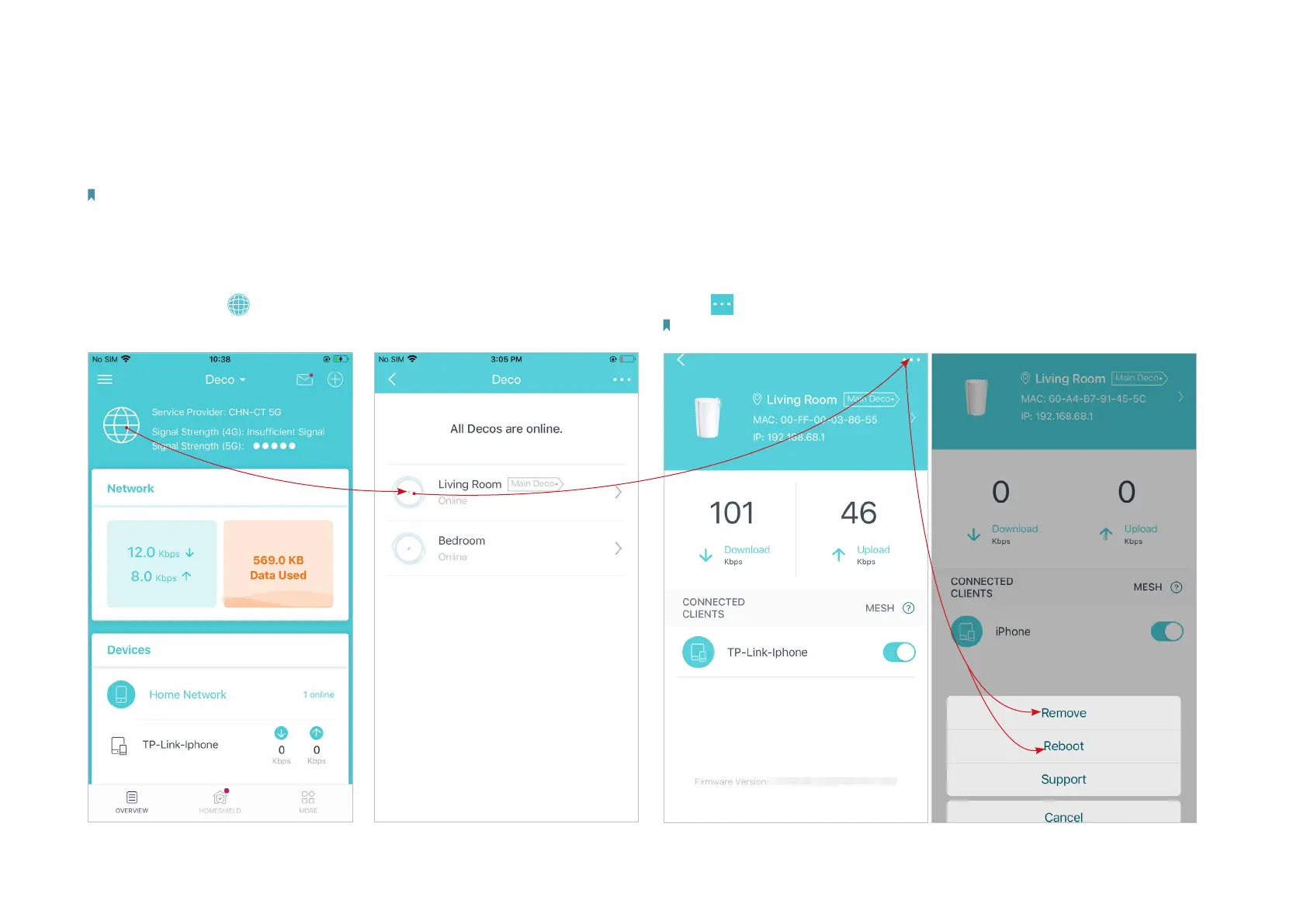
You can remove or reboot your Deco easily in the Deco app. Follow the steps below.
Note:
Rebooting your Deco will keep the current settings on it.
Removing your Deco will reset it to factory default settings and you will need to set up your Deco again. You can also press the Reset button on the Deco for 1 second to quickly reset your Deco to factory
default settings.
1. In Overview, tap .
*The app screen depicted is for 4G/5G Router
mode only and may dier when Deco works in
dierent modes.
3. Tap to remove or reboot the Deco.
Note: If the LED light of Deco does not turn pulsing blue after tapping Remove, press the Reset
button on the Deco for 1 second to reset it.
2. Select a Deco unit.


 To Next Page