46
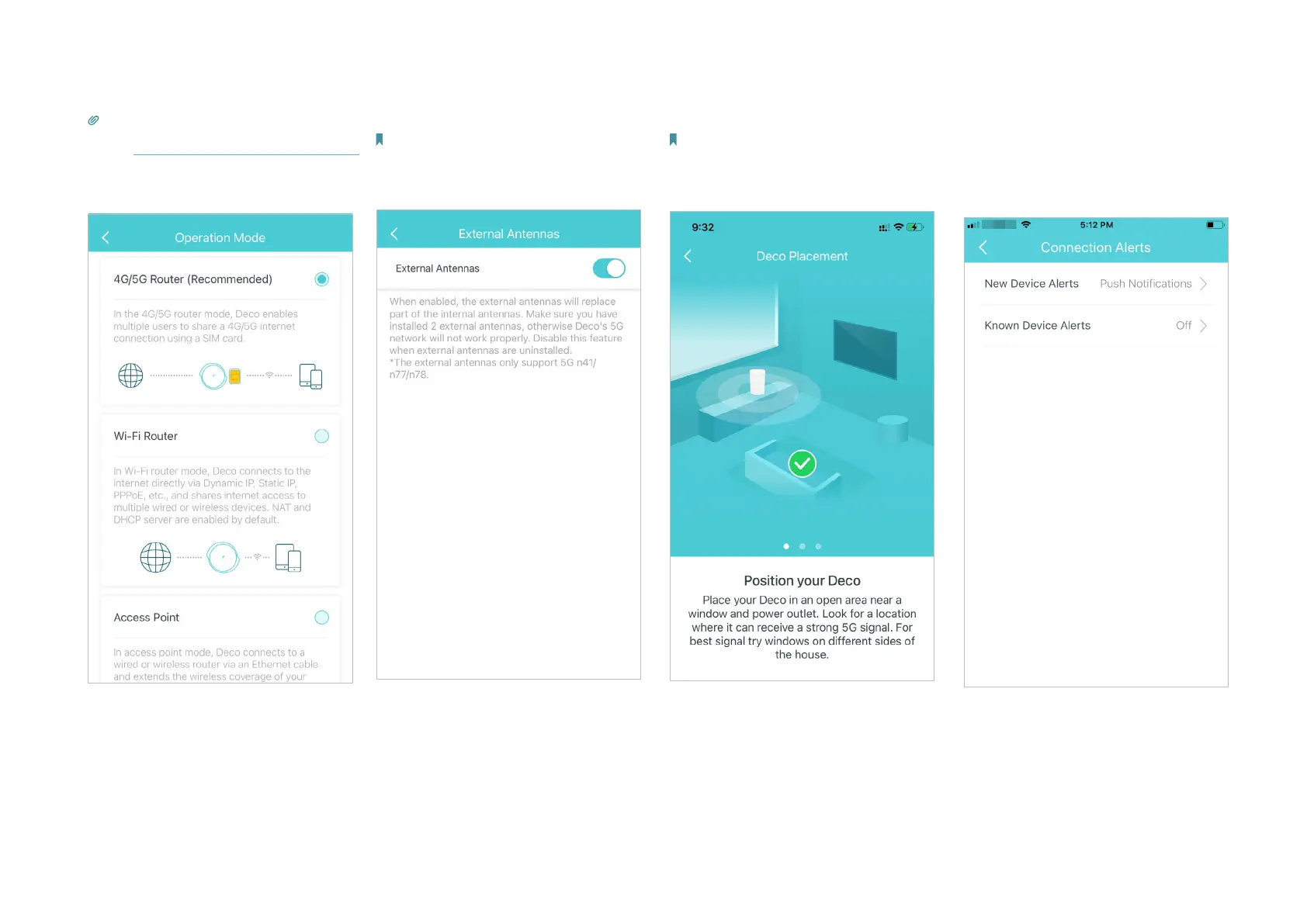
Set connection alerts to receive
notications once the clients
connect to or disconnect from Deco.
Position your Deco for the best 5G
signal according to the instructions.
Note: This feature is available only when Deco
works in 4G/5G Router mode.
Enable to use external antennas
instead of the internal ones.
Note: This feature is available when Deco works
in 4G/5G Router mode, and when 4G/5G Backup is
enabled in Wireless Router mode. Make sure you
have installed two external antennas to ensure that
Deco's 5G network works properly.
Change the operation mode.
Tip: You can enable 4G/5G Backup when you
switch the network to Wireless Router mode.
Refer to 4G/5G Backup (for Wireless Router Mode)
for details.


 To Next Page