11
3. Operating and Programming
Power ON
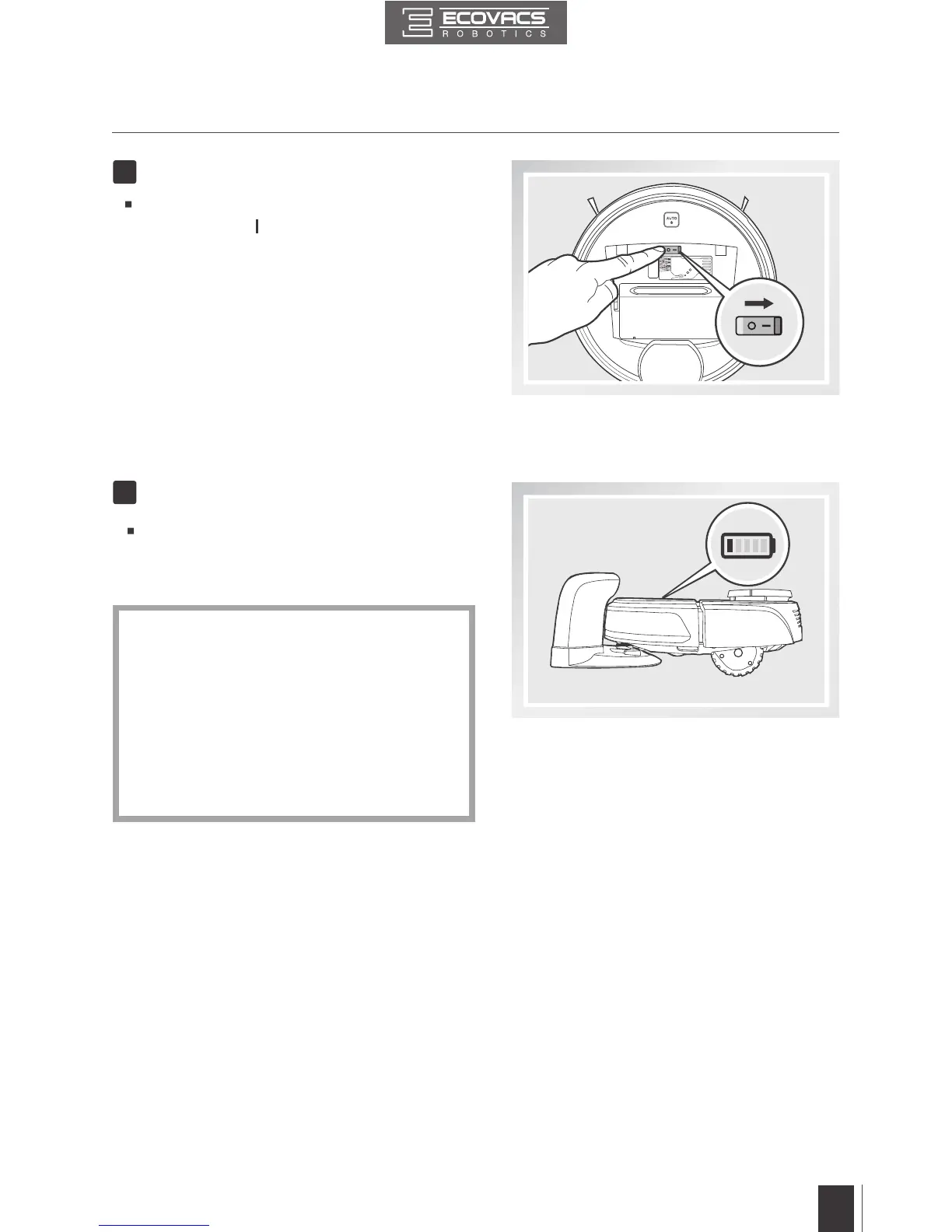
Open the Top Cover. Move the Power
Switch to the “ ” position. The Control Panel
illuminates, DEEBOT plays a musical tune
and the AUTO Mode Button ashes. DEEBOT
is powered ON when the AUTO Mode Button
stays illuminated.
3
Place DEEBOT on the Charging Dock
making sure the Charging Contacts on
DEEBOT and the Charging Dock Pins make
a connection.
4
Charge DEEBOT
*
*
*
Please make sure the Power Switch is
turned ON before charging. (“O” indicates
OFF and “I” indicates ON).
Charge DEEBOT for at least 4 hours before
the first use. The AUTO Mode Button
ashes when charging, and goes out when
DEEBOT is fully charged.
Remove the Advanced Wet/Dry Reservoir
before charging DEEBOT.



 To Next Page