12
3. Operating and Programming
*
*
When using the mopping feature, fold area
rug edges under themselves so DEEBOT
avoids the rug.
Please see section 3.6 Optional Advanced
Wet/Dry Mopping System for complete
instructions.
5
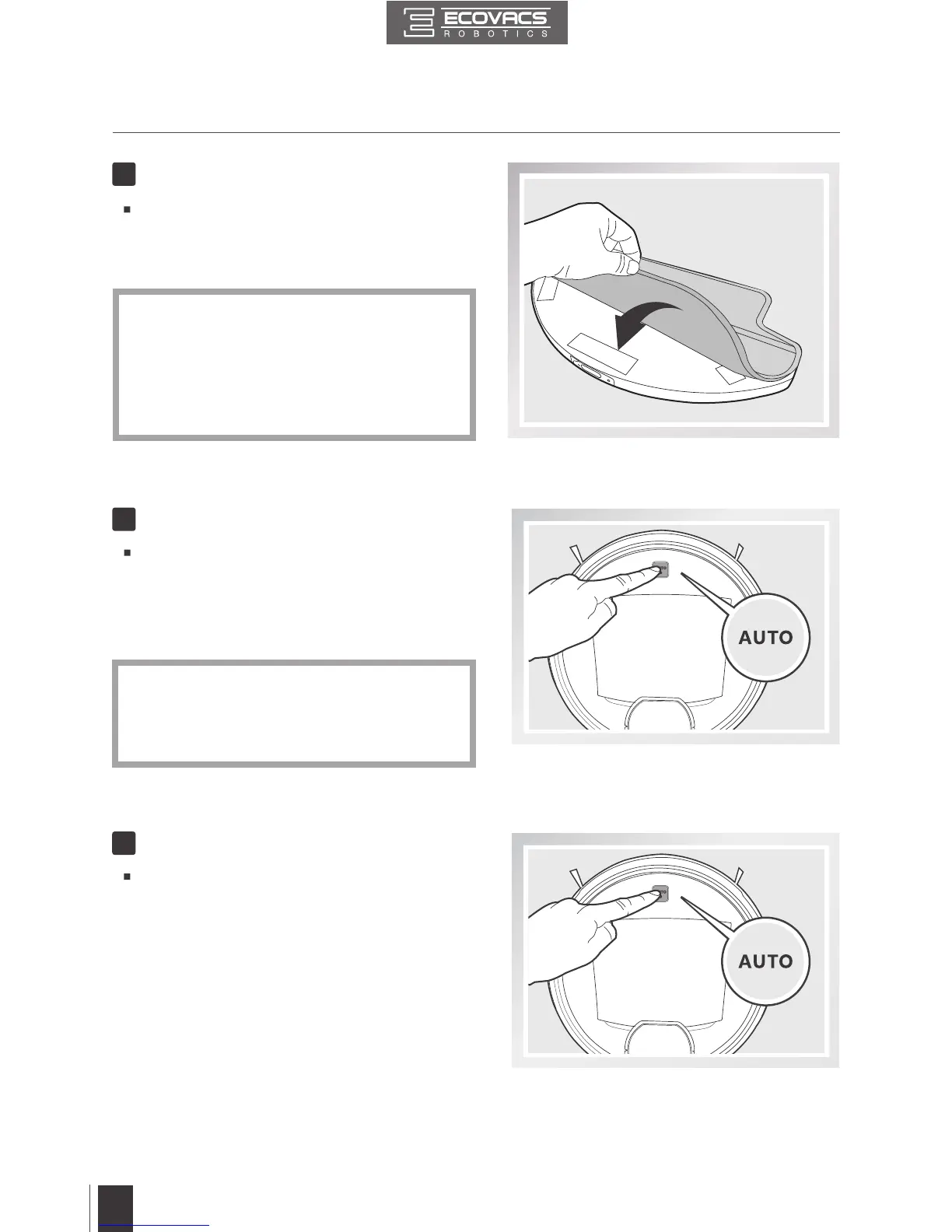
Attach a Cleaning Cloth, if Desired
To use the robot’s optional Advanced Wet/
Dry Mopping System, attach the Advanced
Wet/Dry Reservoir and an Advanced Wet/
Dry Cleaning Cloth before use.
Pause DEEBOT by pressing the AUTO Mode
Button on the robot.
7
Pause
Press the AUTO Mode Button on DEEBOT.
DEEBOT moves around to scan the environment
and build the map, and starts to work
immediately in AUTO Cleaning Mode when
nishes mapping.
6
Start
*
*
DEEBOT must be powered ON to clean.
To choose another Cleaning Mode, please
refer to section 3.3 Cleaning Mode Selection
for details.



 To Next Page