Need Help? Visit DefenderCameras.com/support
13
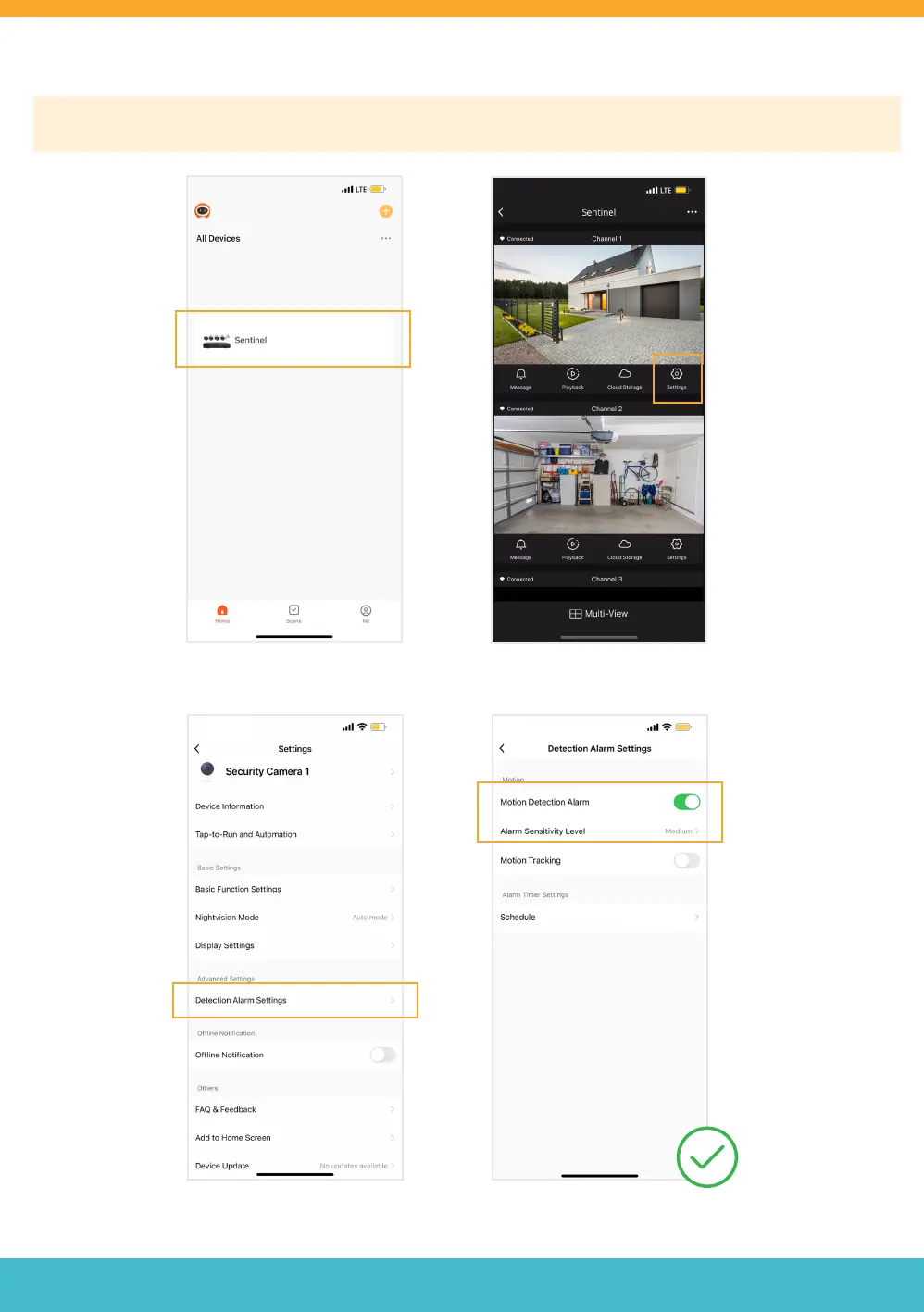
APP SETTING - MOTION DETECTION
Please Note: Motion Detection settings MUST be enabled/changed in your NVR and in your Defender Empower App
Settings. Repeat for each channel.
Open the App and select your device. Tap ‘Settings’.
Tap ‘Detection Alarm Settings’. Turn on Motion Detection Alarm
and select your ‘Alarm Sensitivity
Level’. We recommend medium.
Need Help? Visit DefenderCameras.com/support
13



 To Next Page