Need Help? Visit DefenderCameras.com/support
18
Online
B
C
D
E
F
G
I
USING THE APP
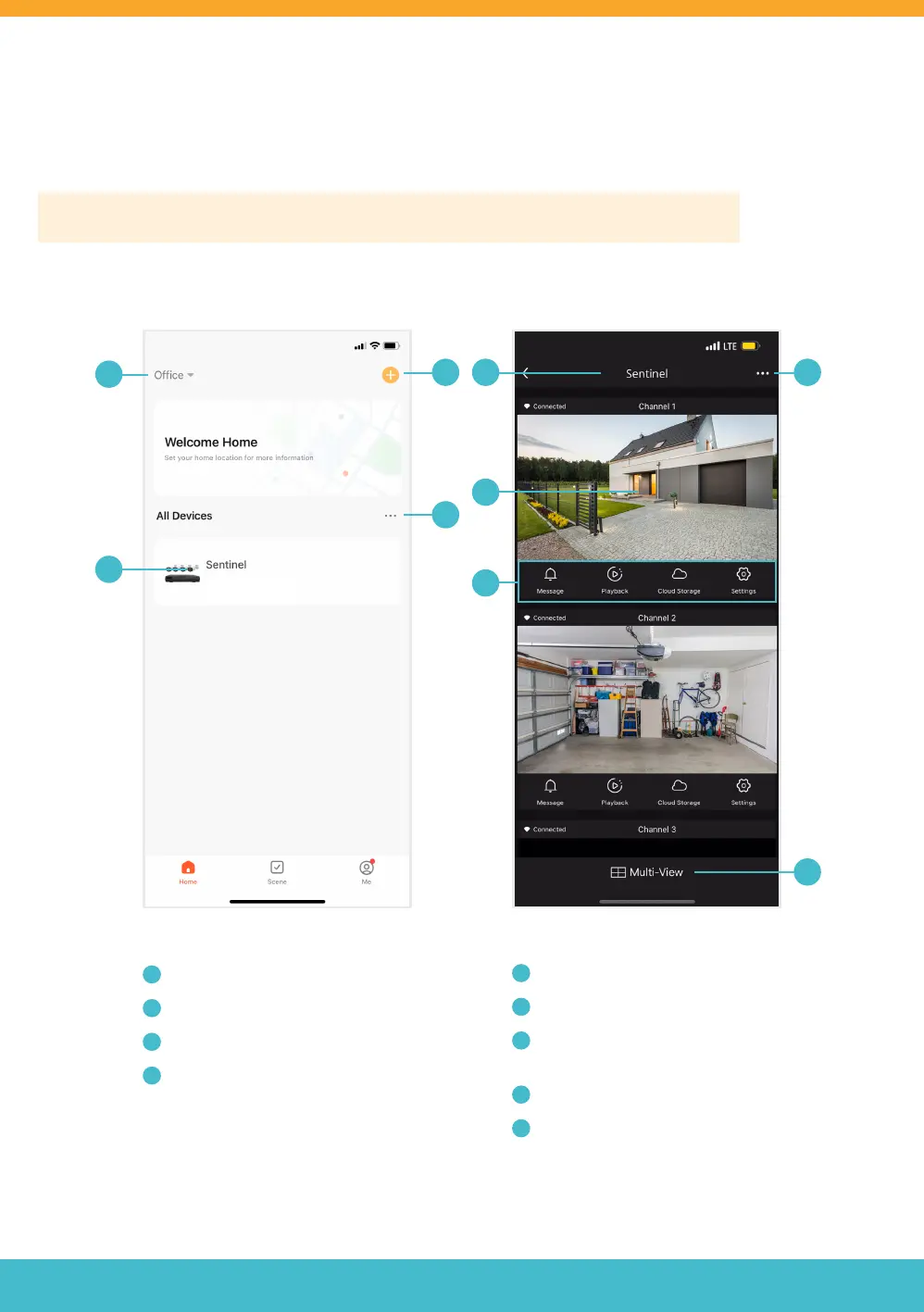
Home Screen LIVE VIEW
A
H
A
Device Location
B
Added Devices
C
Add Device / Create Scene
D
Device Management
E
Device Name
F
Tap to Live View Selected Channel
G
Channel Settings*
(NOTE: cloud storage is not available)
H
NVR Settings
I
Tap to Enter Multi-Cameras Live View
The Defender Empower App allows you to remotely view live and pre-recorded video, save and share footage, share
App access and receive customized notications. Other App functions may not be supported.
Please Note: App screens below are for iOS. For all Android users, the screens may be dierent.



 To Next Page