Need Help? Visit DefenderCameras.com/support
17
AUDIO RECORDING
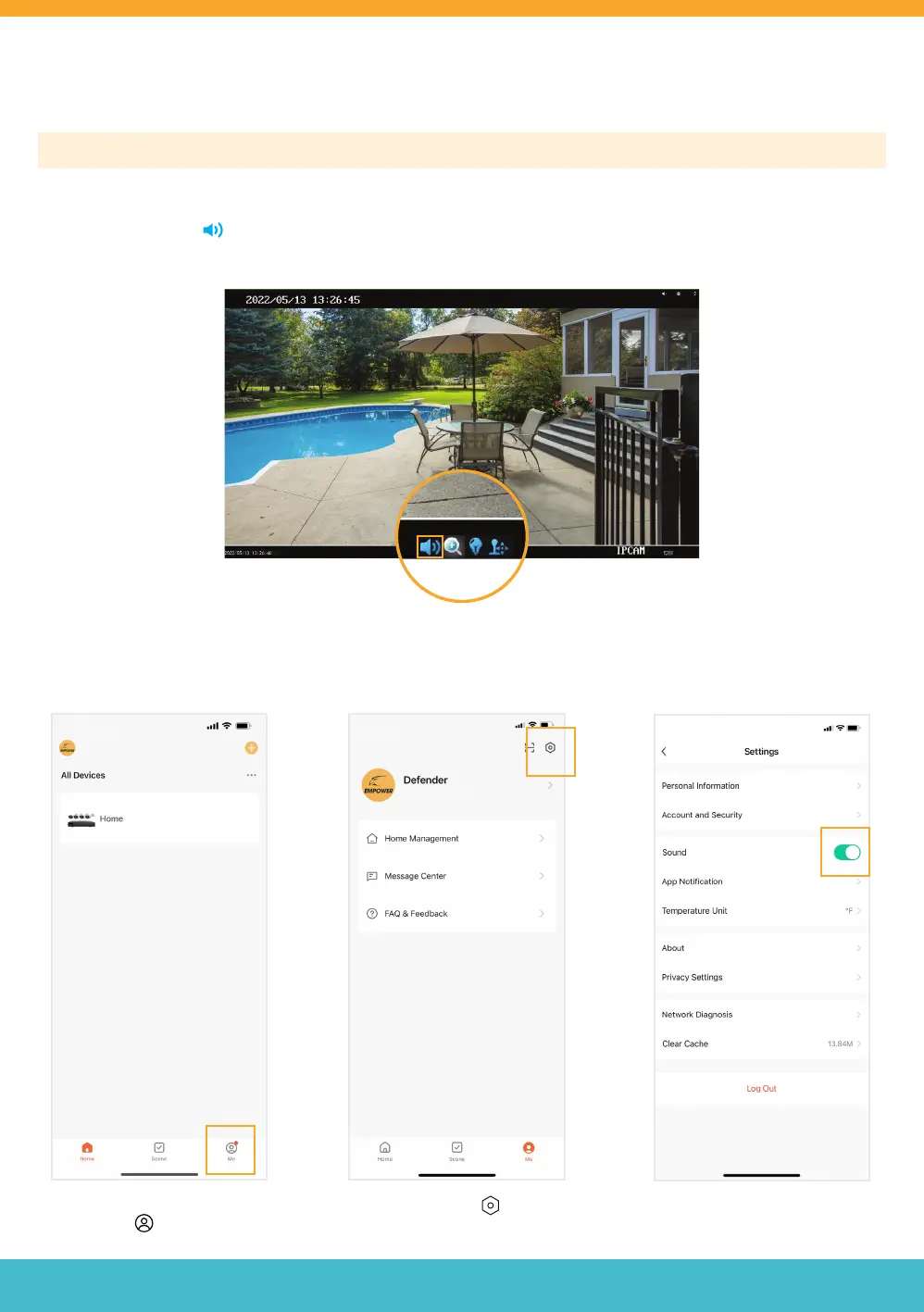
Please Note: Audio Recording must be enabled/changed in your NVR and in your Defender Empower App Settings.
To enable audio recording on your NVR, from the live view screen left click on the channel you want to record audio >
Click the speaker icon
• Repeat for each channel you wish to record audio.
APP SETTING - AUDIO RECORDING
Tap the Settings icon
Open the Defender Empower App
and Tap ‘Me’
Turn Sound on.



 To Next Page