Need Help? Visit DefenderCameras.com/support
15
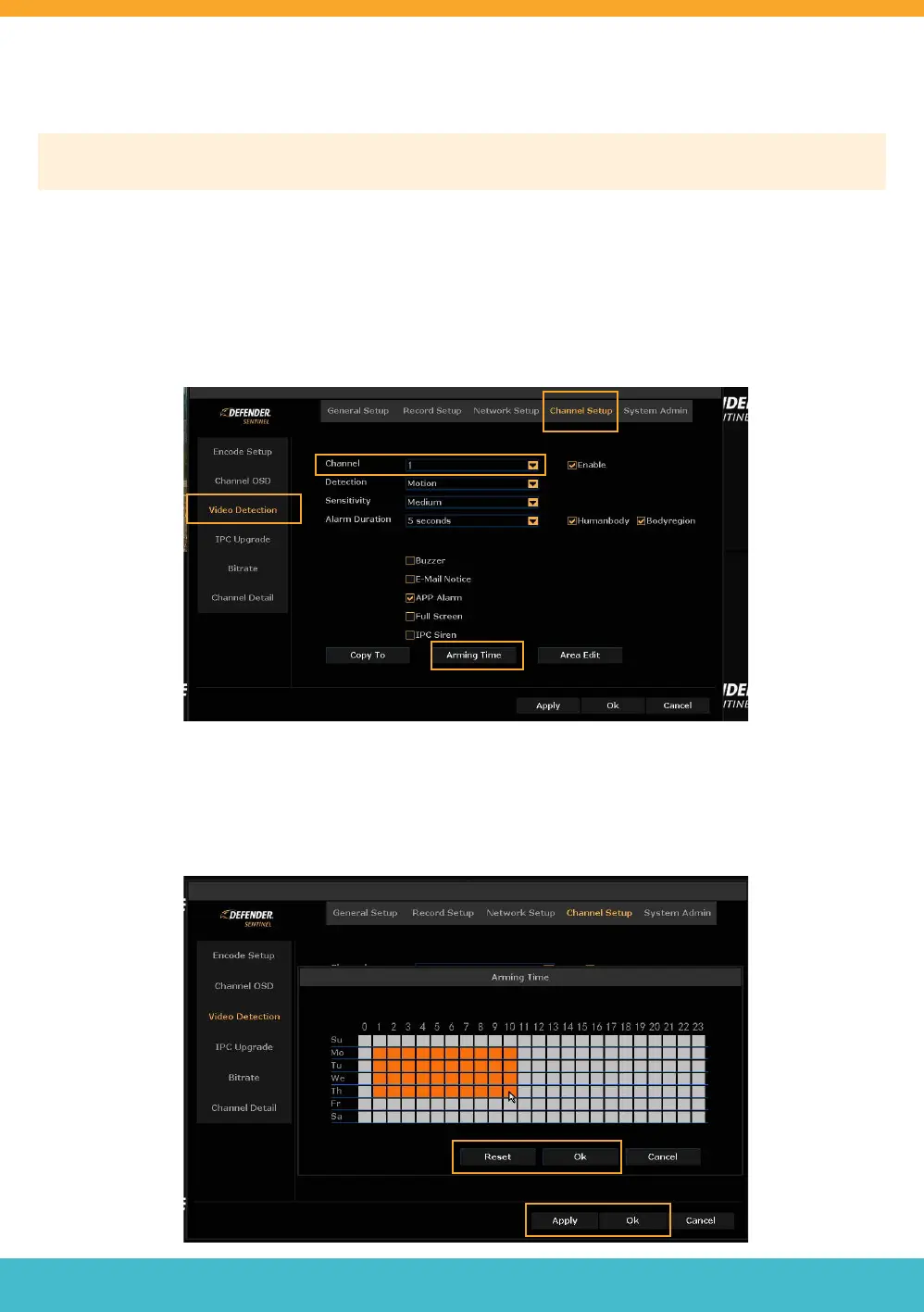
ARMING TIME
Please Note: This setting allows you to be notied when motion is detected during certain times of the day. If you
wish to be notied of all motion in the cameras eld of view/detection region at all times, skip this step.
This setting is only available when motion detection is selected in Motion Detection and Video Loss settings.
• To access this setting, right click to view the main menu > Select System Setup > Select Channel Setup > Select
Video Detection.
• Select the channel you want to adjust the arming time for.
• Select “Arming Time”.
• Select “Reset” to customize your Arming Time preference or un-select the hours and/or days you do not want to
receive notications.
• Select “Ok” and “Apply”.
Need Help? Visit DefenderCameras.com/support
15



 To Next Page