19
HOW TO SHARE APP ACCESS
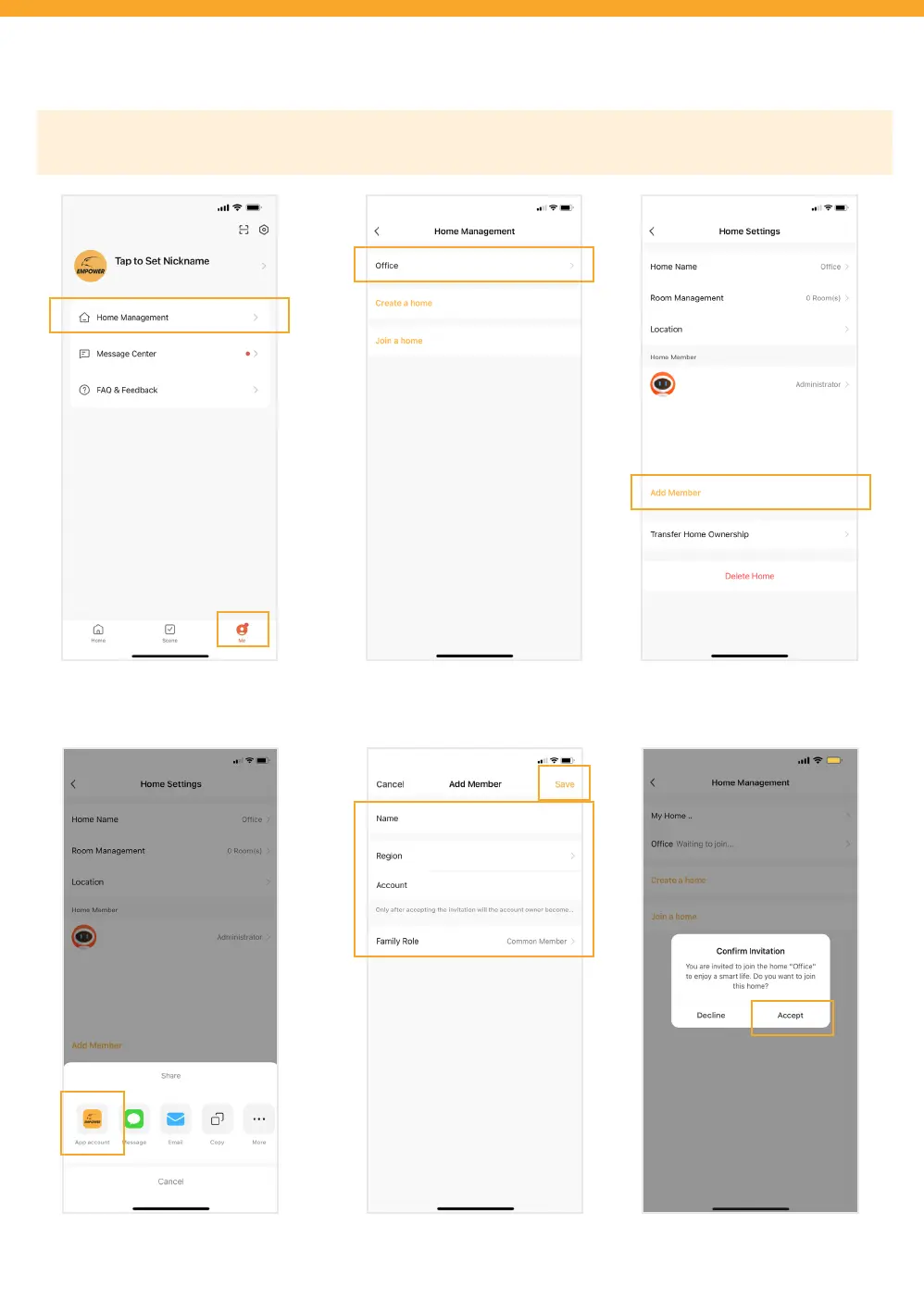
Launch your App and tap on ‘Me’ then
tap ‘Home Management’.
Tap the Defender Empower App
account.
Tap ‘Add Member’.Tap on the camera location you
would like to share.
Fill in the other user’s account
information to share App access,
then tap ‘Save’.
The other user is required to tap
‘Accept’ to conrm the invitation.
IMPORTANT: Before sharing App Access, each user will need to download the DEFENDER EMPOWER APP and create
their own account.



 To Next Page