EasyManua.ls Logo

Delfield CoolScapes GC Series - User Manual

Delfield CoolScapes GC Series
28 pages
Print Icon
To Next Page IconTo Next Page
Loading...
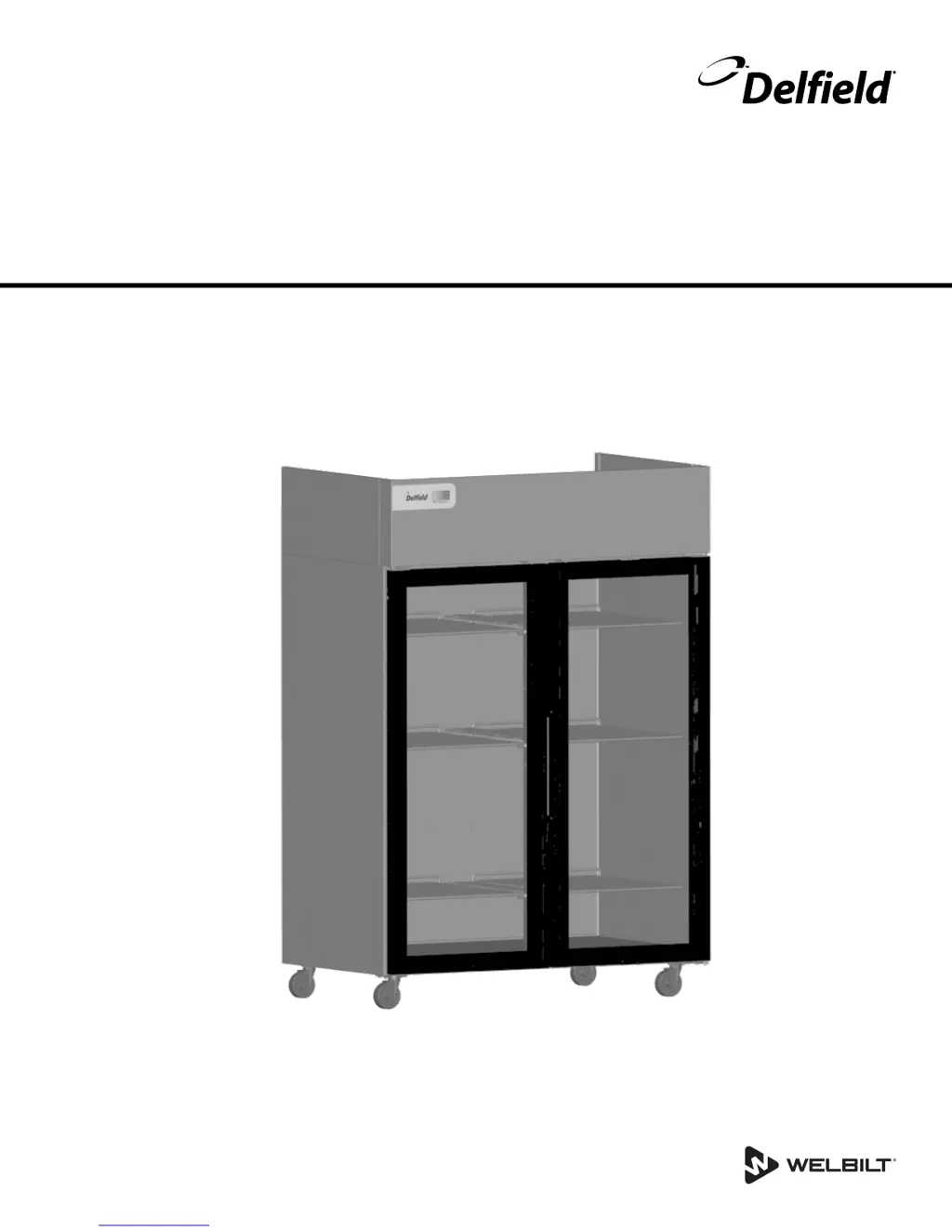
Series GC, GB & GBS Reach-Ins
CoolScapes™
Original Instructions
Installation, Operation and Maintenance Manual
This manual is updated as new information and models are released. Visit our website for the latest manual.
Part Number: 9294839 03/17

Questions and Answers

  • A
    Adam Jones DVMAug 16, 2025
    Why is my Delfield CoolScapes GC temperature too high?
    • R
      Reginald RossAug 16, 2025
      If your Delfield Refrigerator's cabinet temperature is too high, there are several potential causes. Begin by ensuring the thermostat is set to a lower temperature. Check for and correct poor air circulation by rearranging the product inside. Recalibrate the exterior thermometer if it's out of calibration. Allow adequate time for warm products to cool down. Minimize prolonged door openings, ensure the doors are properly closed, and clean the condenser coil. Finally, if the evaporator coil is iced over, turn off the unit to defrost, and verify the thermostat isn't set too cold, also check the door gasket condition.
  • J
    jennifer36Aug 19, 2025
    What does E13 mean on a Delfield CoolScapes GC Refrigerator display?
    • W
      williammurphyAug 19, 2025
      If the temperature display on your Delfield Refrigerator reads E13, it indicates a communication error between the controller and the display. First, check for loose plugs on the cable connecting the control to the display. If the plugs are secure, the display or control may need to be replaced.
  • J
    Jennifer RobinsonAug 22, 2025
    What does E6 error mean on Delfield CoolScapes GC?
    • K
      Kayla ThomasAug 22, 2025
      If the temperature display on your Delfield Refrigerator reads E6, it means the control has a defective potentiometer. Replace the control to resolve this issue.
  • R
    Robert SullivanAug 25, 2025
    What does E2 error mean on Delfield Refrigerator?
    • L
      Lori LambAug 26, 2025
      If the temperature display on your Delfield Refrigerator reads E2, the coil temperature sensor circuit is either open or shorted. Check the sensor's resistance for an open or short circuit. If either condition is found, replace the sensor. If the sensor is fine, the control may need to be replaced.
  • J
    Jeffrey HamiltonAug 28, 2025
    What does E1 mean on Delfield Refrigerator display?
    • O
      oloveAug 28, 2025
      If the temperature display on your Delfield Refrigerator reads E1, it indicates that the box temperature sensor circuit is either open or shorted. To solve this, check the resistance of the sensor for an open or short circuit. If either condition is found, replace the sensor. If the sensor checks out, the control might need replacing.
  • E
    Elizabeth ThomasAug 31, 2025
    Why is my Delfield Refrigerator running constantly?
    • L
      Lauren JonesAug 31, 2025
      If your Delfield Refrigerator's condensing unit runs for extended periods or continuously, it could be due to several reasons. First, check if you've placed an excessive amount of warm product inside; allow sufficient time for cooling. Ensure doors are closed when not in use to prevent prolonged openings. Inspect door gaskets for proper sealing, adjusting the door or replacing the gasket if needed. Clean the condenser coil, and if the evaporator coil is iced over, turn off the unit to defrost it, ensuring the thermostat isn't set too cold and that the gasket is in good condition.
  • I
    Isaac LittleSep 3, 2025
    How to fix a Delfield Refrigerator that is not running?
    • J
      Janice MyersSep 3, 2025
      If your Delfield Refrigerator cabinet isn't running, check the following: First, replace the fuse or reset the circuit breaker if it has blown or tripped. Ensure the power cord is plugged in. Adjust the thermostat to a lower temperature if it's set too high. Turn the main power switch on if it's off. If it's a freezer model, wait for the defrost cycle to complete.
  • R
    Robert CarterSep 6, 2025
    What to do if Delfield CoolScapes GC is freezing food?
    • A
      athompsonSep 6, 2025
      If your Delfield Refrigerator is freezing product, the thermostat might be set too low; try setting it to a higher temperature. A dirty condenser coil can also cause this issue, so cleaning it may help. Lastly, ensure there's enough cabinet clearance for proper refrigeration system operation; adjust the cabinet's position to improve clearance if needed.
  • S
    Sean SmithSep 9, 2025
    Why won't the compressor start on my Delfield CoolScapes GC?
    • J
      Jordan SchaeferSep 9, 2025
      If your Delfield Refrigerator's compressor will not start, the issue might be due to low voltage. Check the incoming voltage to the cabinet and correct it as necessary.
  • B
    bkennedySep 12, 2025
    How to fix a noisy Delfield Refrigerator?
    • M
      Michael DavidsonSep 12, 2025
      If your Delfield Refrigerator is making unusual noises, locate and tighten any loose parts.

Summary

Installation Procedures

Equipment Location and Environmental Requirements

Specifies ideal placement criteria, temperature, and ventilation requirements for the unit.

Unit Weight and Installation Clearance Guidelines

Details equipment weights and necessary air clearances for safe and efficient operation.

Electrical Connection and Safety Standards

Outlines voltage, amperage, power cord, and GFCI guidelines for safe electrical setup.

How to Reverse Unit Door Swing

A detailed guide for reversing the door swing on full door models.

Operation

R290 Control Panel Operation and Settings

Overview of the control panel, settings, and initial startup procedures for R290 units.

Refrigerator Automatic and Manual Defrost Cycles

Details on how automatic and manual defrost cycles function in refrigerators.

R290 Freezer Startup and Cooling Cycles

Explains initial startup, defrost, and cooling cycle management for R290 freezers.

R290 Temperature Display Codes and Status

Describes the meaning of status indicators and error codes shown on the temperature display.

Maintenance and Care

Condenser Coil Cleaning for Performance

Explains the importance and methods for cleaning the condenser coil to ensure performance.

Troubleshooting Guide

Troubleshooting Common Unit Problems

A comprehensive chart for diagnosing and correcting common operational problems.

Delfield CoolScapes GC Series Specifications

General IconGeneral
Defrost TypeAutomatic
Number of Doors1
MaterialStainless Steel
TypeReach-In
CapacityVaries by model
Temperature Range33°F to 41°F
Door TypeHinged
ShelvesAdjustable
Energy EfficiencyEnergy Star compliant
DimensionsVaries by model
WeightVaries by model

Related product manuals